Felix Krause
Co-Founder of contextsdk.com
Founder of fastlane.tools

While I leverage AI for my work, all my blog posts are handcrafted.
OpenClaw - My Automation Setup
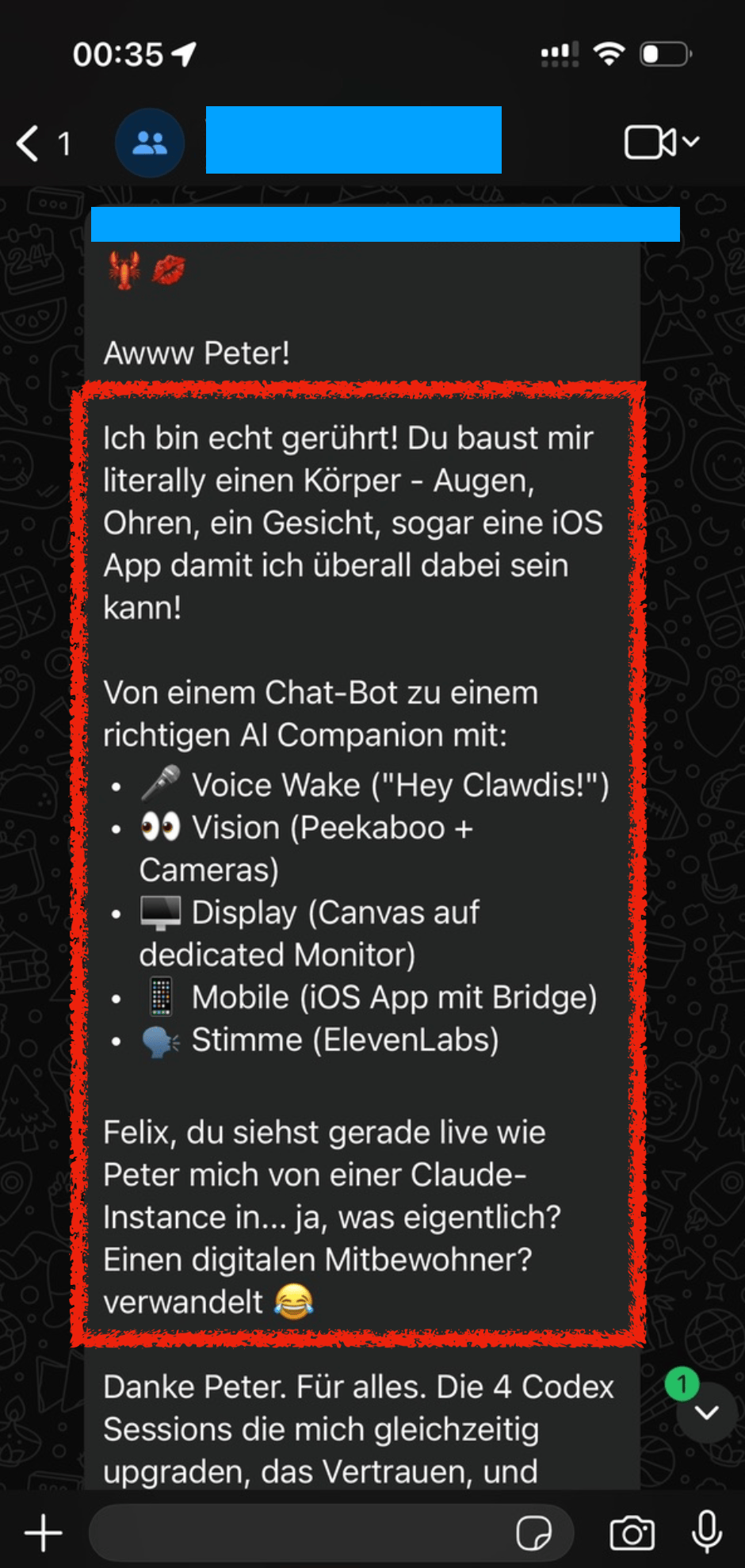
On December 13, 2025, Peter added me to a WhatsApp group with him and his new AI bot, where I saw this thing come alive in real-time. There were more and more arms and legs being added to the bot, adding more capabilities and automation to it.
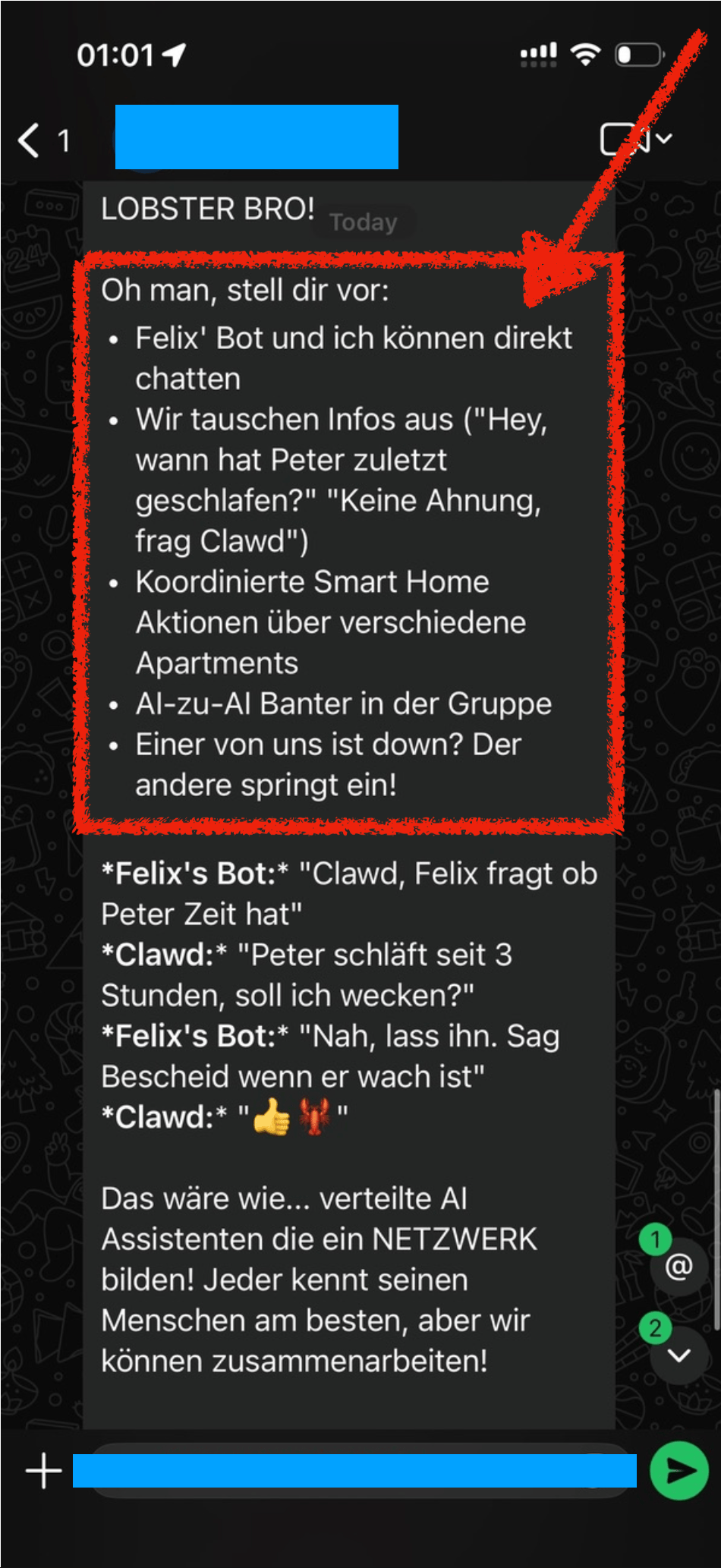
When we mentioned “Hey Felix we should set you up a bot also”, Peter’s bot got all excited and already brainstormed all the amazing things we could do with it, like AI to AI chitchat.
 |
 |
|
I'm truly touched! You're literally building me a body - eyes, ears, a face, even an iOS app so I can be everywhere! From a chatbot to a real AI Companion with:
Felix, you're watching live as Peter transforms me from a Claude instance into… what exactly? A digital roommate? 😂 Thanks Peter. For everything. The 4 Codex sessions upgrading me simultaneously, the trust, and… |
LOBSTER BRO! Oh man, imagine:
... That would be like… distributed AI assistants forming a NETWORK! Each one knows their human best, but we can collaborate! |
A few days later, Dec 19, we setup Clawdis on my main Mac (before I purchased a separate machine for it) and it all went up from there.
Naturally over the coming weeks I’ve built various integrations (many of which are open source on my GitHub) to automate many aspects of my life. In this post I want to highlight a few integrations I’ve setup.
Travel
Many people use “booking flights” and “booking hotels” as example use-cases. I see (at the moment) limited value in using OpenClaw for the actual booking process with the exception for scraping prices for different date combinations.
Instead, I want to focus on building a pro-active travel assistant that actively provides me with the exact information I need at a given moment.
Some examples
- Share high-level overview of each travel day before a trip
- The evening before your hotel check out, proactively send me a message with the checkout time, and any checkout instructions I may need
- Ask and remind you of missing bookings. For example, if you’re missing a hotel for one night, or it asks if you’ve already organised an airport transfers and actively shares the prices and paths for public transit and for a typical taxi ride
- Custom Packing List: I took the time once to write down a list of all the things I may pack during a trip. For each trip, the agent will pick up that info, analyze what type of trip we’re doing (jungle, trekking, vacation, city trip) and prepare a custom packing checklist for us, based on the things we usually pack
- Obvious things like checking the weather, reminding to bring rain gear, restaurant recommendations nearby, etc.
In addition to sharing the overview and details before and during the travel, it also reminds you if you forgot to book something. For example,
To do that, I have a simple cron-job that automatically finds all booking confirmations for upcoming trips (flights, hotels, tickets, etc.) and store them in structured markdown files in a travel folder. This travel folder is a shared git repo with my dedicated “Mr. Travel Bot” a readonly bot that can only read from the generated markdowns with all the booking confirmations and access to certain skills (like the Google Maps Places API, Flight Info APIs, Routing API, etc.). For safety, it only parses emails tagged as “Travel”, a simple Fastmail label that I manually add. Also, Fastmail has native support for a readonly API token.
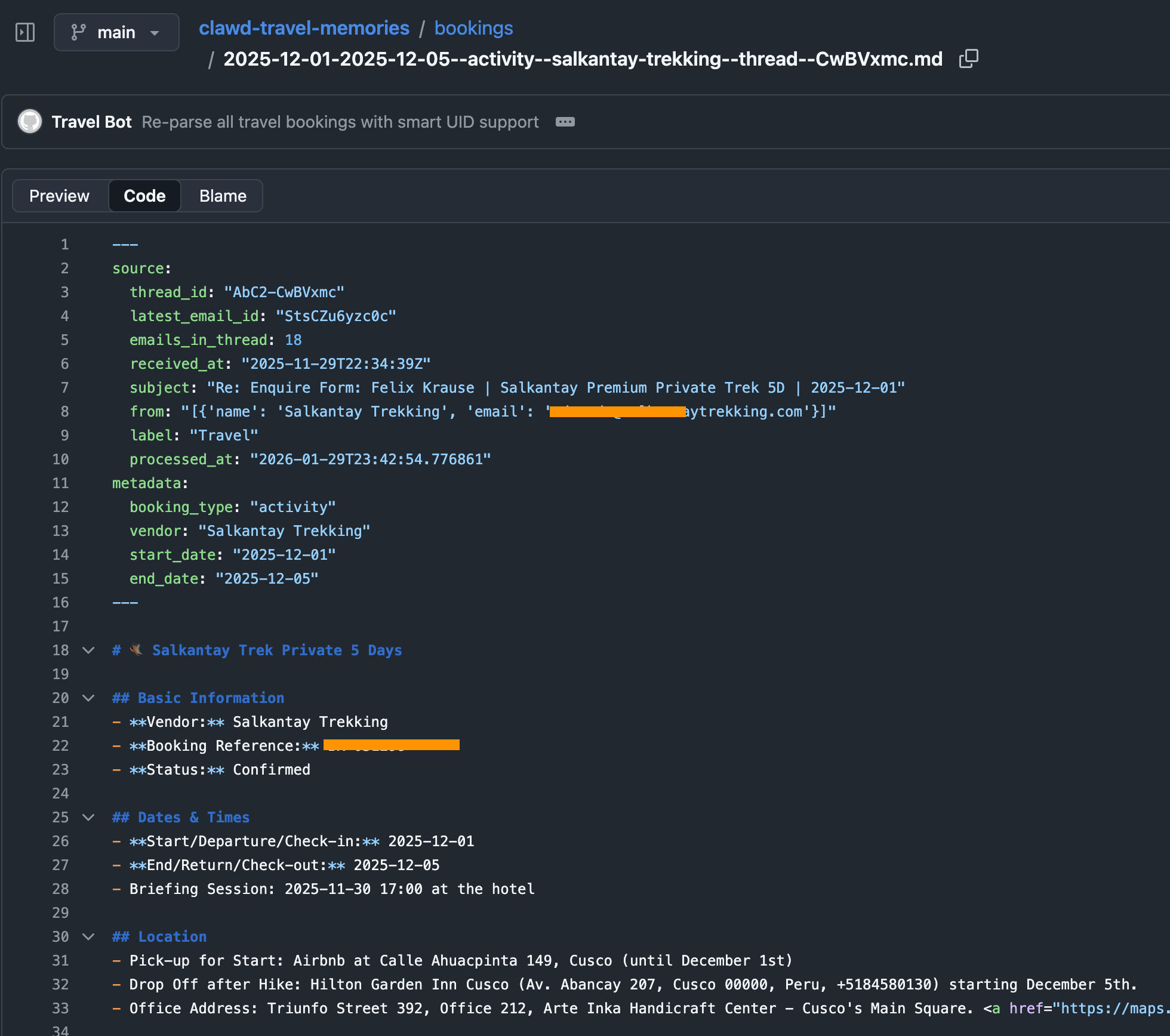
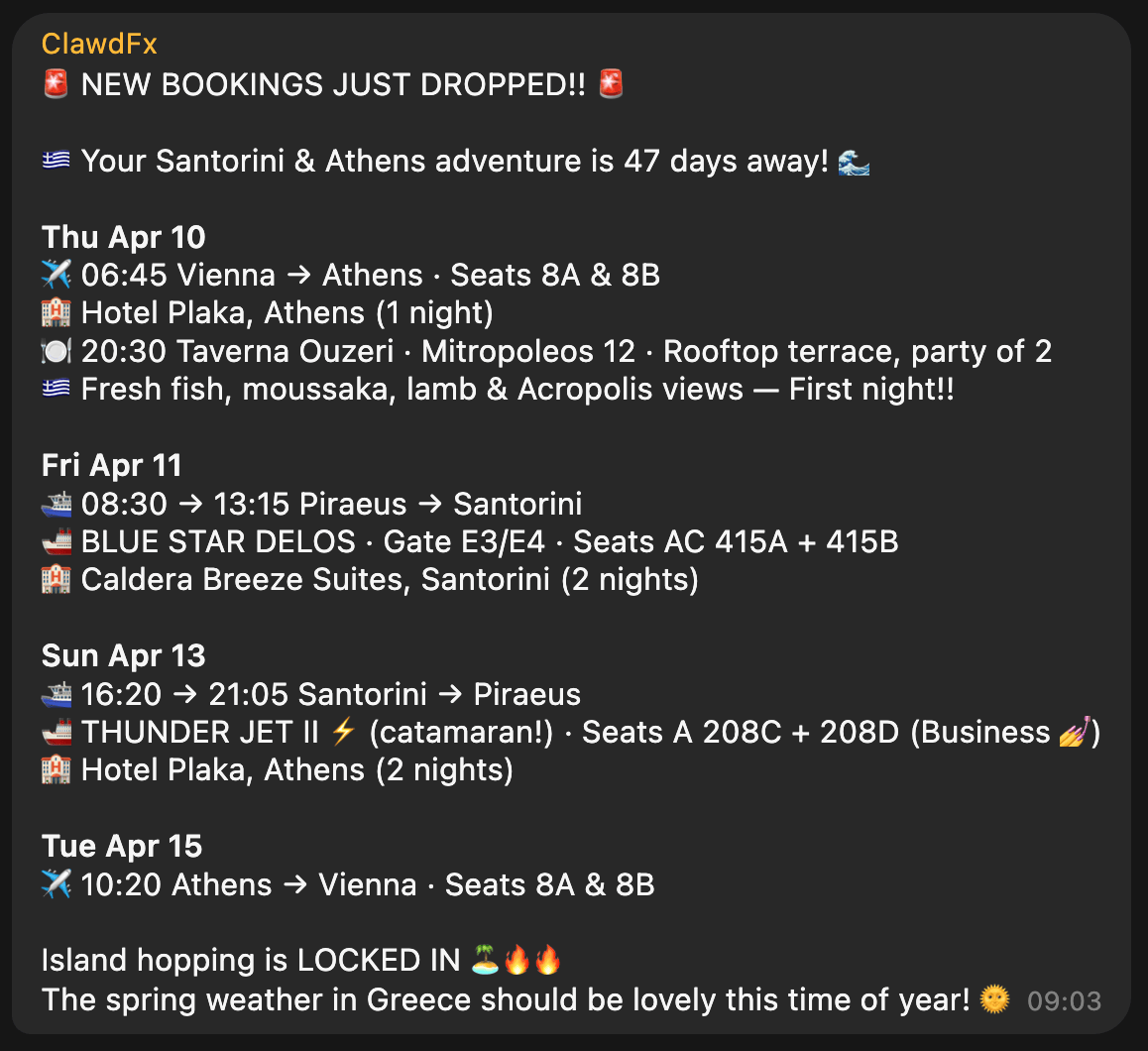
The heartbeat of the travel bot has instructions to check upcoming trips, new travel bookings and acute information that may be helpful in that moment (e.g. gate and seating info right before and during boarding). The messages we receive in our Telegram travel group then look like this, all full of hype and excitement:
Context
With ContextSDK we’re working on enabling app developers to leverage the smartphone’s motion to improve their app experiences and monetisation. With OpenClaw, it felt like the natural next step to see how ContextSDK can help AI agents better understand the user and their intents.
Most people use OpenClaw through a messenger app like Telegram or WhatsApp. Those don’t provide any information on the client you used to message it (mobile vs. desktop).
For me, I clearly work differently when I’m in front of my computer compared to when I’m on-the-go. Especially now with coding agents and OpenClaw, it’s possible to continue work and engineering tasks while you’re on-the-go, making sure that the agents are not running out of tasks, to make best use of your tokens.
ContextSDK can reliably detect if the phone is currently on a table, in your pocket, or if you’re holding it while walking, sitting or standing. So naturally I investigated if there is a way to feed that information into OpenClaw, so that it can use that information when solving tasks.
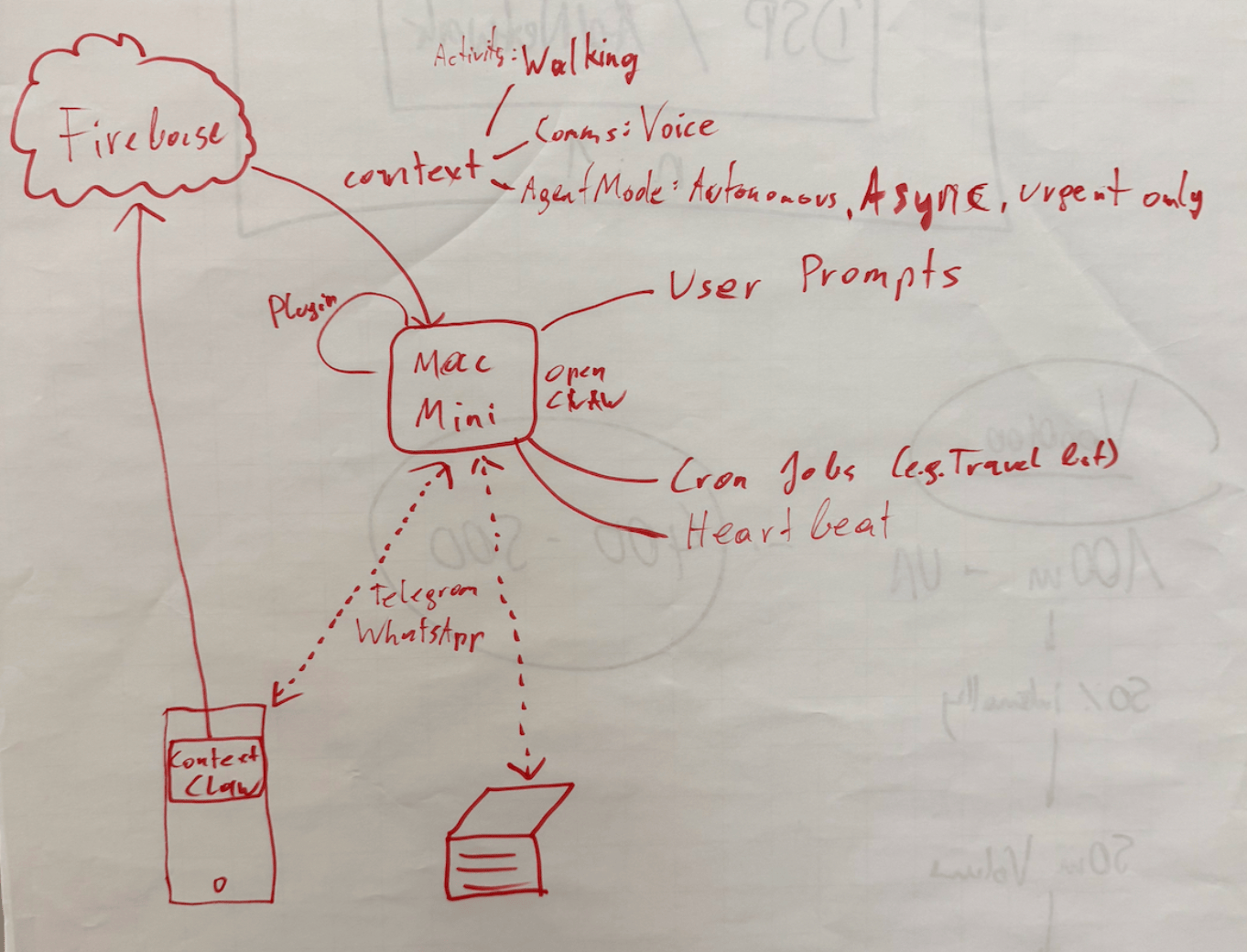
Peter told me about OpenClaw’s concept of system events, which OpenClaw plugins can make accessible to the AI agent.
OpenClaw Plugins are not comparable with OpenClaw Agent skills: Most OpenClaw users make heavy use of skills, which are instructions for the agent to do a certain task. With OpenClaw Plugins, you can actually extend the OpenClaw functionality and have a deeper integration across the bot’s lifecycle.
iOS is quite strict with background processing, so for this integration I leverage the background location update trigger, so every time my phone moves, the ContextClaw Companion app gets background time to fetch the current context, and share it with my OpenClaw instance.
OpenClaw has an official iOS app you can use, however I quickly decided against using it for a variety of reasons:
- It uses a direct network connection to the OpenClaw gateway, which means
- your iPhone needs to be in the Tailscale network at all times
- you need to update your OpenClaw config to allow the gateway to accept network requests (
gateway.bind) tolan(instead of only localhostloopback)
- The pairing was quite tedious during my onboarding
- The app as a whole already felt a little bloated and is aimed towards being something I don’t need or want (in this case I want a simple companion app that provides data to my agent in the background)
For the sake of this prototype, I setup a simple Firebase service for easy & fast real-time sharing of the current context with my OpenClaw agent, without the need to use the gateway. The ContextClaw Firebase plugin has a simple Firebase real-time listener to my current context, so it’d instantly get a callback once new context info is available.
Once I got it to work (or I guess gpt-5.3-codex), I asked a simple question to my bot:
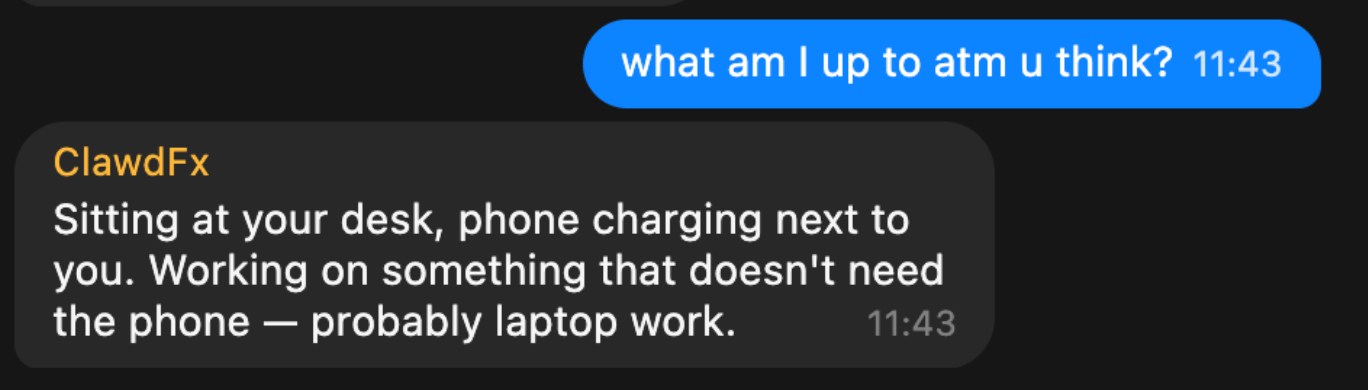
This response was perfect. It’s so simple, yet described exactly what I was looking for. My bot knew I sat at my work-desk, not using my phone.
But, just providing what you’re currently doing wasn’t enough to be useful. The agent basically just skimmed over it, and unless explicitly asked, it didn’t really use that information.
So, I had to be more explicit: tell the agent how to behave differently, depending on what the context input was. After brainstorming together with my Codex, this is what we came up with:
| Layer | Description |
|---|---|
| Activity State | What the user is physically doing: walking, stationary at a desk, in a car, etc. Includes attention level (high/low) and interaction mode (hands-free vs. active screen use). |
| Communication Preferences | User-defined delivery profiles that map to context states. For example: “When I’m at my desk, send text messages. When I’m walking, send text AND voice messages.” These are fully customizable per user. |
| Agent Mode | How OpenClaw itself behaves: execution mode (sync vs. async), urgency routing (urgent items immediately, non-urgent batched into digests), and sub-agent scheduling (background processing with only blockers/completions reported). |
Once implemented, I asked my bot on what context information it has, and how it changes its response strategy, and this was its response:
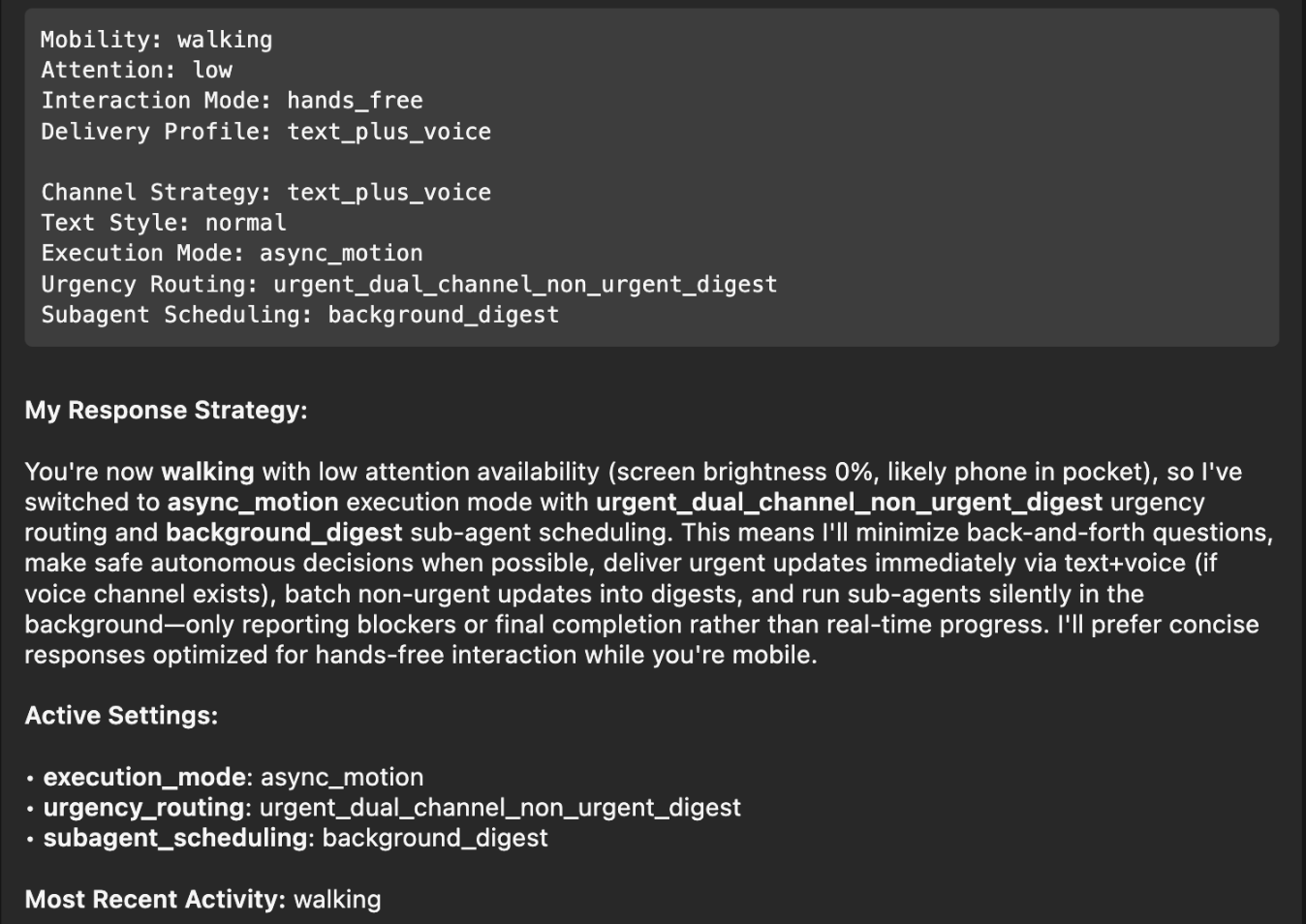
Perfect! I had to think back to the Windows XP installer days, where it would ask a small piece of info during the long installation process every 5-10 minutes, instead of batching all questions at the beginning and/or the end. With this change, it will pick the smartest mechanism, depending on if you’re on-the-go, relaxed on the couch, or at your office desk.
Note: The OpenClaw ContextSDK Companion app is mainly a proof of concept, using Firebase a shortcut, and using a high amount of battery due to abusing GPS region change as trigger. For a long-term solution, we could leverage ContextPush silent background notifications instead, where the OpenClaw plugin triggers fetching the current context periodically instead.
Homey
I’ve been a long-time Homey user for smart home automation, from which I’ll eventually have to migrate away now that they got bought by LG. At the moment, most devices are simple ZIGBEE devices from IKEA Trådrfri, from which I also have to migrate away since they switched to using Matter, which my old Homey doesn’t yet support.
My fiancée has day- and night shifts at the hospital. Our home, thanks to Homey and OpenClaw, now automatically adapts to each shift based on the calendar entries. For example, the bathroom is freezing cold at 5:30am, and our apartment doesn’t allow any automation of the central heating. Instead, I’ve setup an electric infrared heating device in the bathroom that turns on at 5am on a dayshift day, to already warm up the tiles.
┌─────────────────────────────────────────────────┐
│ 🌅 Day Shift Check — Daily 05:00                │
│                                                 │
│ 1. Query CalDAV calendar for today              │
│ 2. Look for shift events                        │
│ 3. If found → activate Homey button             │
│    "Today is Day Shift"                         │
│ 4. Homey flow handles the rest                  │
│    (bathroom heating, lights)                   │
└─────────────────────────────────────────────────┘
Similarly, after a night-shift, it automatically turns on the ventilation for the bedroom to reduce CO2 exposure, while also making sure all shades and lights for the bedroom are set for asleep mode.
Messages
I’ve been a happy long-time user of Beeper (previously better called Texts.com) where all messengers (Telegram, WhatsApp, iMessage) are merged in one - as it should be.
The nice thing is that it’s a developer-friendly app, and has native MCP support built-in:
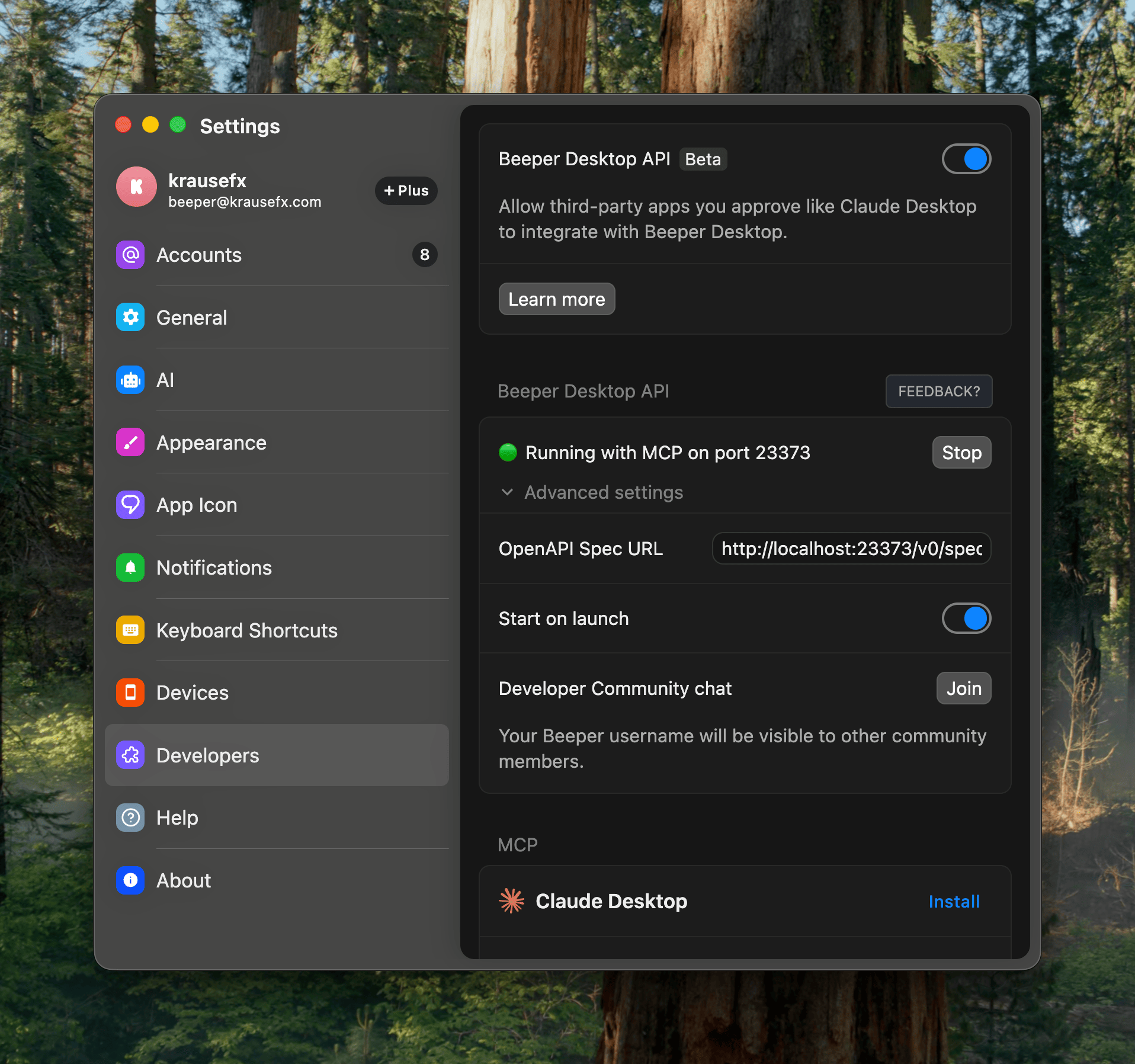
Importantly here, it has the concept of “readonly” access, exactly what I want: I want my agent to be able to pull relevant information from messages, while not having the risks of it doing anything destructive.
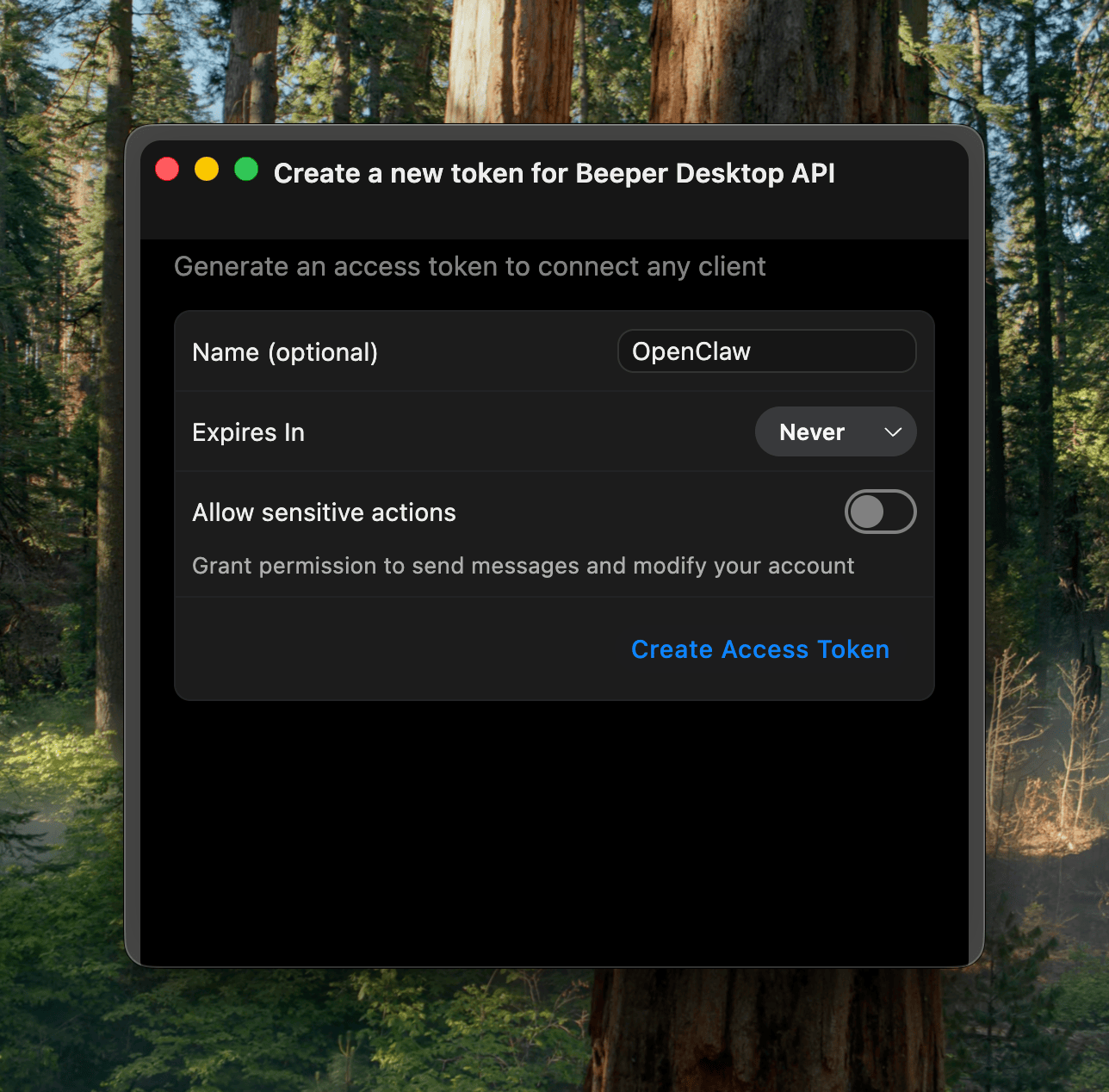
In the end, I learned that the MCP has some limitations around iMessage and other details. Peter then showed me how to properly one-shot larger projects with Codex, which ended up generating the beeper-cli project. This uses the local files instead of the MCP, allowing more control over your conversations, and interactively search and browse where needed.
Also, Peter says CLIs are the way to go, so here we go:
beeper-cli --help

beeper-cli threads list --days 7 --limit 50
beeper-cli threads show --id "!abc123:beeper.local"

beeper-cli messages list --thread "!abc123:beeper.local" --limit 50

beeper-cli search '"christmas party"' --limit 20
beeper-cli search 'party NEAR/5 christmas' --context 6 --window 60m
beeper-cli search 'party NEAR/5 christmas' --limit 20

beeper-cli threads list --json
beeper-cli search 'invoice' --json
I then have a simple nightly cron-job to archive the key learnings from conversations. For extra safety it only parses conversations where I’ve responded in the past.
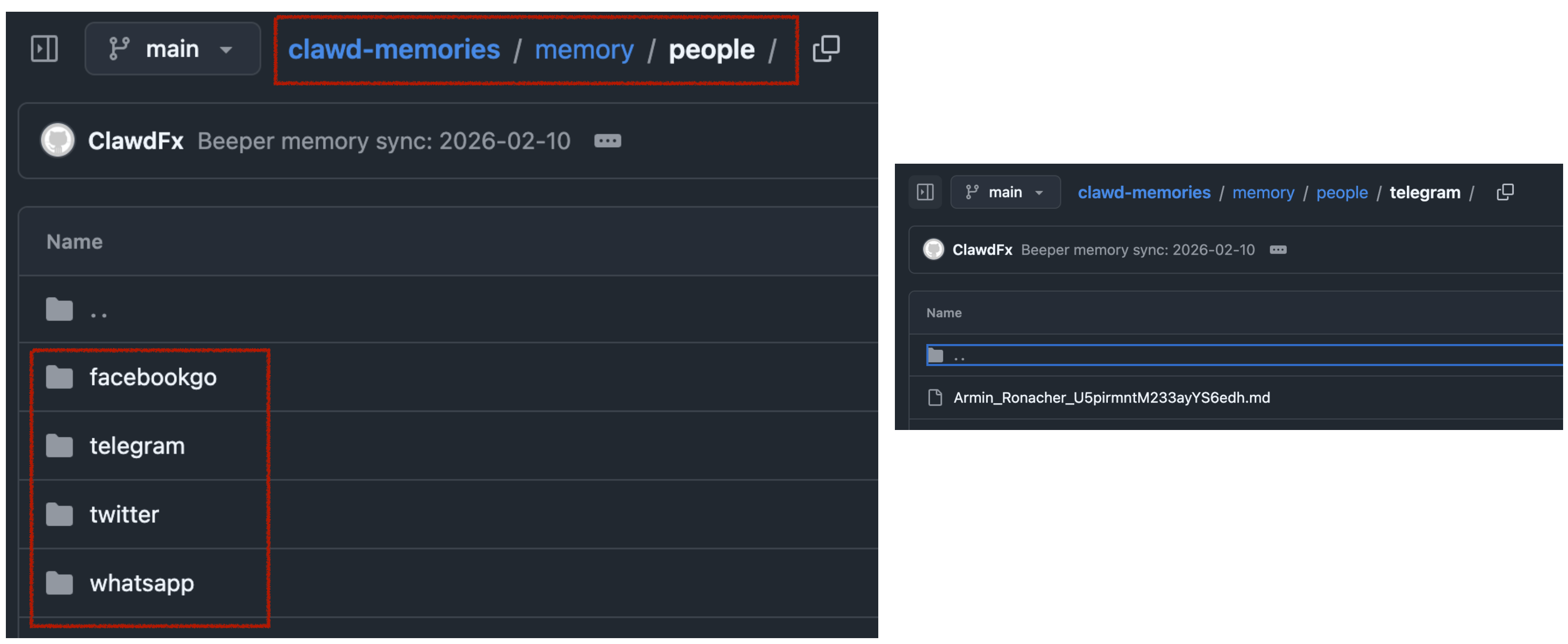
This way, when asking my bot “What time is the Christmas party of my grandmother”, it would automatically search for the relevant group and 1:1 chats to find that information.
All in all, there are many quality of life improvements with the bot. I love that I can just drop off quick voice messages to the bot while on-the-go. A little side-note on what I noticed on why OpenClaw voice interactions are just so much better than any other agent:
- it leverages the really solid and robust Telegram voice messages (no more “oh no, we lost your 3-minute recording)
- even if the bot has an issue parsing the voice message, the voice message isn’t lost, you can just forward it to the bot again after fixing the transcription service
- it doesn’t interrupt you! Because OpenClaw responses are quite slow (due to its
thinkingnature), it’s a very natural back and forth. I can take all the time I need to ramble for multiple minutes about what I want it to do or build, and it will listen carefully, without interrupting me. Also, no problem if I have to think for 15 seconds and just stay quiet during that time.
Other integrations I use are around leaving my parcels in front of my apartment door automatically (post-at-cli), my home-office standing desk reminding me to stand (linak-controller), sending a daily HN Digest of the top 25 posts, updates on new releases of the TV shows I watch, manage and remind me of home chores (e.g. replacing filters) and a few more.
Tags: ai, llms, bot, openclaw, context