Felix Krause
Co-Founder of contextsdk.com
Founder of fastlane.tools

While I leverage AI for my work, all my blog posts are handcrafted.
Introducing danger.systems
Together with Orta Therox, we created the open source project danger in 2015. It’s a tool that helps you automate your code review process. It’s a Ruby gem that runs on your CI server and can be used to automate common code review tasks. It’s used by thousands of developers and has been a great success.
At this point, danger got re-written in various programming languages (JavaScript, Swift, Kotlin & Python), check out danger.systems for a full overview.
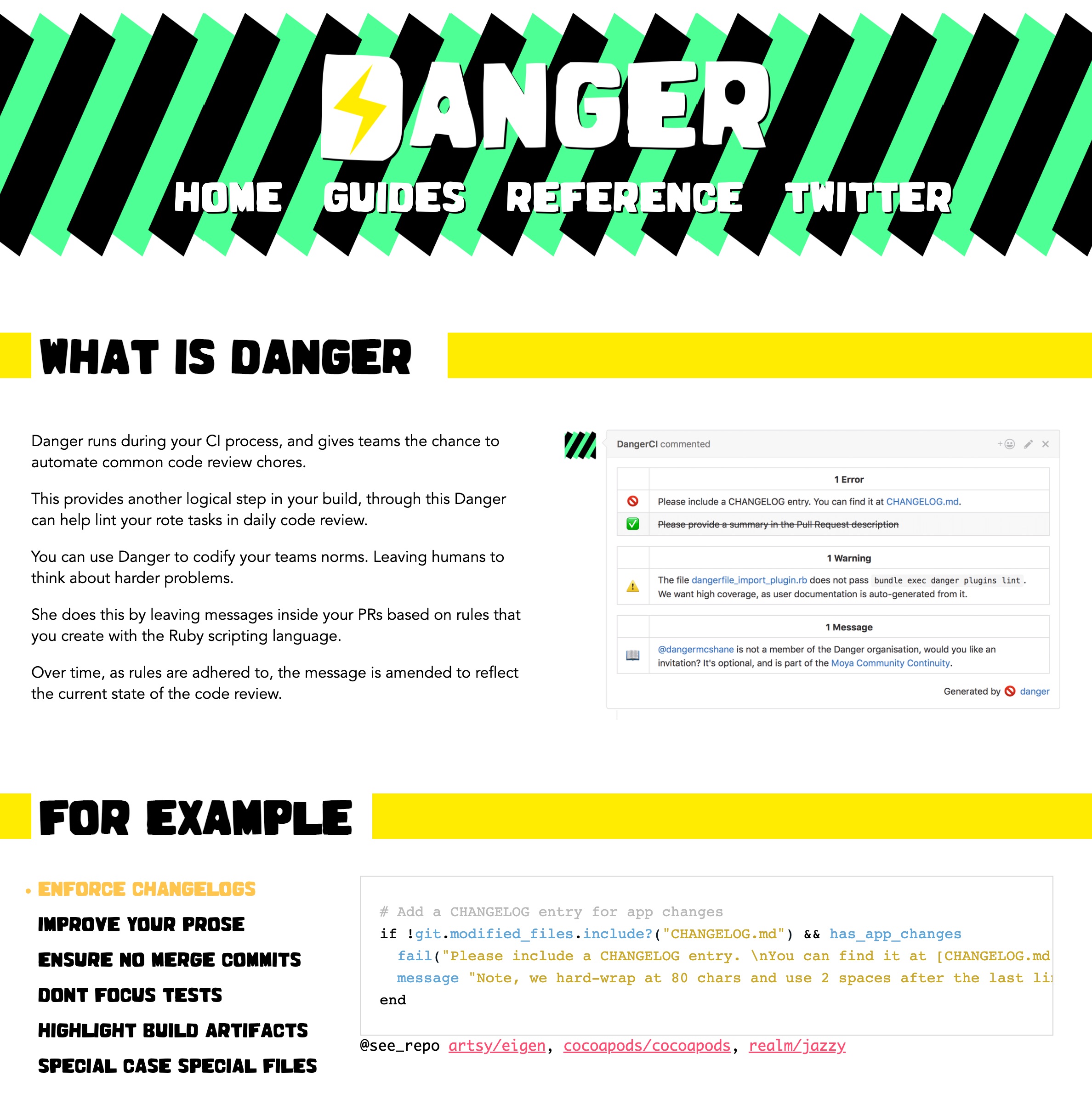
I had to stop actively working on this project in 2016, as I’ve decided to spend more of time on fastlane. To this day, @orta is still driving the project, and built an active community around it.
Tags: danger, danger.systems, opensource, github, developertool | Edit on GitHub
fastlane is now part of Fabric

Update 2017: fastlane got acquired by Google
I started fastlane as a side project about a year ago. In just a short time, fastlane became the most popular iOS automation toolset, used by thousands of developers around the world. I never imagined that so many people would use it or how much time it would require to maintain it. It became a full time job!
That’s why today, I’m happy to announce that fastlane is now part of Fabric, where I will get to focus on fastlane full time and work on building the best developer tools available.
What the future holds
fastlane will stay an open source project, and I will continue to work on new features.The Fabric team is committed helping fastlane grow for both existing fastlane users and new ones.
And for the last two months, while I’ve been working from Twitter HQ in San Francisco, I was able to prepare a few big things:
1.0 Releases for all tools
In the last few weeks, I’ve been focusing a lot on quality. All fastlane tools now use spaceship to communicate with Apple. I’m very excited that all fastlane tools are now available as 1.0 releases, and I’m really looking forward to the things we’re building next.

fastlane for Android (Beta)
fastlane is the most popular Continuous Delivery solution for iOS apps. But I always wanted to make fastlane a tool that both iOS and Android developer could benefit from.
As of today, you can use fastlane for both your iOS and Android projects.Get started with fastlane for Android!

snapshot now uses UI Tests
Earlier this year Apple announced Xcode 7 with support for UI Tests. This technology allows snapshot to be even better: Instead of using UI Automation Javascript code, you can now write the screenshot code in Swift or Objective C allowing you to use the powerful debugging features built into Xcode.

New tool: scan
A lot of developers use fastlane to run tests on their project. Up until now, fastlane used third party test runners to run and monitor tests. As of today, there is a new tool called scan,making it super simple to run the tests of your iOS and Mac application.
If you’re an existing fastlane user, you can be excited about the next few weeks and what I have in the pipeline. If you’re new to fastlane, now is the best time to get started
Update 2017: fastlane got acquired by Google
Thoughts on iOS build tools
Up until now you had 2 good ways to build and sign your application from the command line:
- Use the built-in
xcodebuildcommand - Use the third party tool shenzhen
Both approaches have their problems
xcodebuild
When using xcodebuild you have to fiddle around with a long list of available parameters:
xcodebuild clean archive -archivePath build/MyApp \
                         -scheme MyApp
xcodebuild -exportArchive \
           -exportFormat ipa \
           -archivePath "build/MyApp.xcarchive" \
           -exportPath "build/MyApp.ipa" \
           -exportProvisioningProfile "ProvisioningProfileName"
That’s not something you remember and just enter every time you want to build an ipa file. The command above will generate a huge amount terminal output (talking > 10MB). For every source file that gets complied xcodebuild prints out around 60 lines of information you don’t really care about:
rause/Library/Developer/Xcode/DerivedData/Example-fhlmxikmujknefgidqwqvtbatohi/Build/Intermediates/ArchiveIntermediates/Example/IntermediateBuildFilesPath/Example.build/Release-iphoneos/Example.build/Objects-normal/arm64/main.o Example/main.m normal arm64 objective-c com.apple.compilers.llvm.clang.1_0.compiler
    cd /Users/felixkrause/Developer/fastlane/gym/example/cocoapods
    export LANG=en_US.US-ASCII
    export PATH="/Applications/Xcode-beta.app/Contents/Developer/Platforms/iPhoneOS.platform/Developer/usr/bin:/Applications/Xcode-beta.app/Contents/Developer/usr/bin:/Users/felixkrause/.rvm/gems/ruby-2.2.0/bin:/Users/felixkrause/.rvm/gems/ruby-2.2.0@global/bin:/Users/felixkrause/.rvm/rubies/ruby-2.2.0/bin:/Users/felixkrause/.rvm/bin:/usr/local/heroku/bin:/usr/local/bin:/usr/bin:/bin:/usr/sbin:/sbin"
    /Applications/Xcode-beta.app/Contents/Developer/Toolchains/XcodeDefault.xctoolchain/usr/bin/clang -x objective-c -arch arm64 -fmessage-length=126 -fdiagnostics-show-note-include-stack -fmacro-backtrace-limit=0 -fcolor-diagnostics -std=gnu99 -fobjc-arc -fmodules -gmodules -fmodules-cache-path=/Users/felixkrause/Library/Developer/Xcode/DerivedData/ModuleCache -fmodules-prune-interval=86400 -fmodules-prune-after=345600 -fbuild-session-file=/Users/felixkrause/Library/Developer/Xcode/DerivedData/ModuleCache/Session.modulevalidation -fmodules-validate-once-per-build-session -Wnon-modular-include-in-framework-module -Werror=non-modular-include-in-framework-module -Wno-trigraphs -fpascal-strings -Os -fno-common -Wno-missing-field-initializers -Wno-missing-prototypes -Werror=return-type -Wunreachable-code -Wno-implicit-atomic-properties -Werror=deprecated-objc-isa-usage -Werror=objc-root-class -Wno-arc-repeated-use-of-weak -Wduplicate-method-match -Wno-missing-braces -Wparentheses -Wswitch -Wunused-function -Wno-unused-label -Wno-unused-parameter -Wunused-variable -Wunused-value -Wempty-body -Wconditional-uninitialized -Wno-unknown-pragmas -Wno-shadow -Wno-four-char-constants -Wno-conversion -Wconstant-conversion -Wint-conversion -Wbool-conversion -Wenum-conversion -Wshorten-64-to-32 -Wpointer-sign -Wno-newline-eof -Wno-selector -Wno-strict-selector-match -Wundeclared-selector -Wno-deprecated-implementations -DCOCOAPODS=1 -DNS_BLOCK_ASSERTIONS=1 -DOBJC_OLD_DISPATCH_PROTOTYPES=0 -isysroot /Applications/Xcode-beta.app/Contents/Developer/Platforms/iPhoneOS.platform/Developer/SDKs/iPhoneOS9.0.sdk -fstrict-aliasing -Wprotocol -Wdeprecated-declarations -miphoneos-version-min=9.0 -g -fvisibility=hidden -Wno-sign-conversion -fembed-bitcode -iquote /Users/felixkrause/Library/Developer/Xcode/DerivedData/Example-fhlmxikmujknefgidqwqvtbatohi/Build/Intermediates/ArchiveIntermediates/Example/IntermediateBuildFilesPath/Example.build/Release-iphoneos/Example.build/ExampleProductName-generated-files.hmap -I/Users/felixkrause/Library/Developer/Xcode/DerivedData/Example-fhlmxikmujknefgidqwqvtbatohi/Build/Intermediates/ArchiveIntermediates/Example/IntermediateBuildFilesPath/Example.build/Release-iphoneos/Example.build/ExampleProductName-own-target-headers.hmap -I/Users/felixkrause/Library/Developer/Xcode/DerivedData/Example-fhlmxikmujknefgidqwqvtbatohi/Build/Intermediates/ArchiveIntermediates/Example/IntermediateBuildFilesPath/Example.build/Release-iphoneos/Example.build/ExampleProductName-all-target-headers.hmap -iquote /Users/felixkrause/Library/Developer/Xcode/DerivedData/Example-fhlmxikmujknefgidqwqvtbatohi/Build/Intermediates/ArchiveIntermediates/Example/IntermediateBuildFilesPath/Example.build/Release-iphoneos/Example.build/ExampleProductName-project-headers.hmap -I/Users/felixkrause/Library/Developer/Xcode/DerivedData/Example-fhlmxikmujknefgidqwqvtbatohi/Build/Intermediates/ArchiveIntermediates/Example/BuildProductsPath/Release-iphoneos/include -I/Users/felixkrause/Developer/fastlane/gym/example/cocoapods/Pods/Headers/Public -I/Users/felixkrause/Developer/fastlane/gym/example/cocoapods/Pods/Headers/Public/HexColors -I/Users/felixkrause/Library/Developer/Xcode/DerivedData/Example-fhlmxikmujknefgidqwqvtbatohi/Build/Intermediates/ArchiveIntermediates/Example/IntermediateBuildFilesPath/Example.build/Release-iphoneos/Example.build/DerivedSources/arm64 -I/Users/felixkrause/Library/Developer/Xcode/DerivedData/Example-fhlmxikmujknefgidqwqvtbatohi/Build/Intermediates/ArchiveIntermediates/Example/IntermediateBuildFilesPath/Example.build/Release-iphoneos/Example.build/DerivedSources -F/Users/felixkrause/Library/Developer/Xcode/DerivedData/Example-fhlmxikmujknefgidqwqvtbatohi/Build/Intermediates/ArchiveIntermediates/Example/BuildProductsPath/Release-iphoneos -isystem /Users/felixkrause/Developer/fastlane/gym/example/cocoapods/Pods/Headers/Public -isystem /Users/felixkrause/Developer/fastlane/gym/example/cocoapods/Pods/Headers/Public/HexColors -MMD -MT dependencies -MF /Users/felixkrause/Library/Developer/Xcode/DerivedData/Example-fhlmxikmujknefgidqwqvtbatohi/Build/Intermediates/ArchiveIntermediates/Example/IntermediateBuildFilesPath/Example.build/Release-iphoneos/Example.build/Objects-normal/arm64/main.d --serialize-diagnostics /Users/felixkrause/Library/Developer/Xcode/DerivedData/Example-fhlmxikmujknefgidqwqvtbatohi/Build/Intermediates/ArchiveIntermediates/Example/IntermediateBuildFilesPath/Example.build/Release-iphoneos/Example.build/Objects-normal/arm64/main.dia -c /Users/felixkrause/Developer/fastlane/gym/example/cocoapods/Example/main.m -o /Users/felixkrause/Library/Developer/Xcode/DerivedData/Example-fhlmxikmujknefgidqwqvtbatohi/Build/Intermediates/ArchiveIntermediates/Example/IntermediateBuildFilesPath/Example.build/Release-iphoneos/Example.build/Objects-normal/arm64/main.o
The best way to fix the output annoyance is to use xcpretty in which you can pipe the xcodebuild ouput.
shenzhen
shenzhen was the easiest way to build your iOS application: It took care of generating the xcodebuild commands to build your application. But instead of showing a clean output while building, it omitted the complete output of the whole process.
The main issue with shenzhen was the information you received when you run into an error:
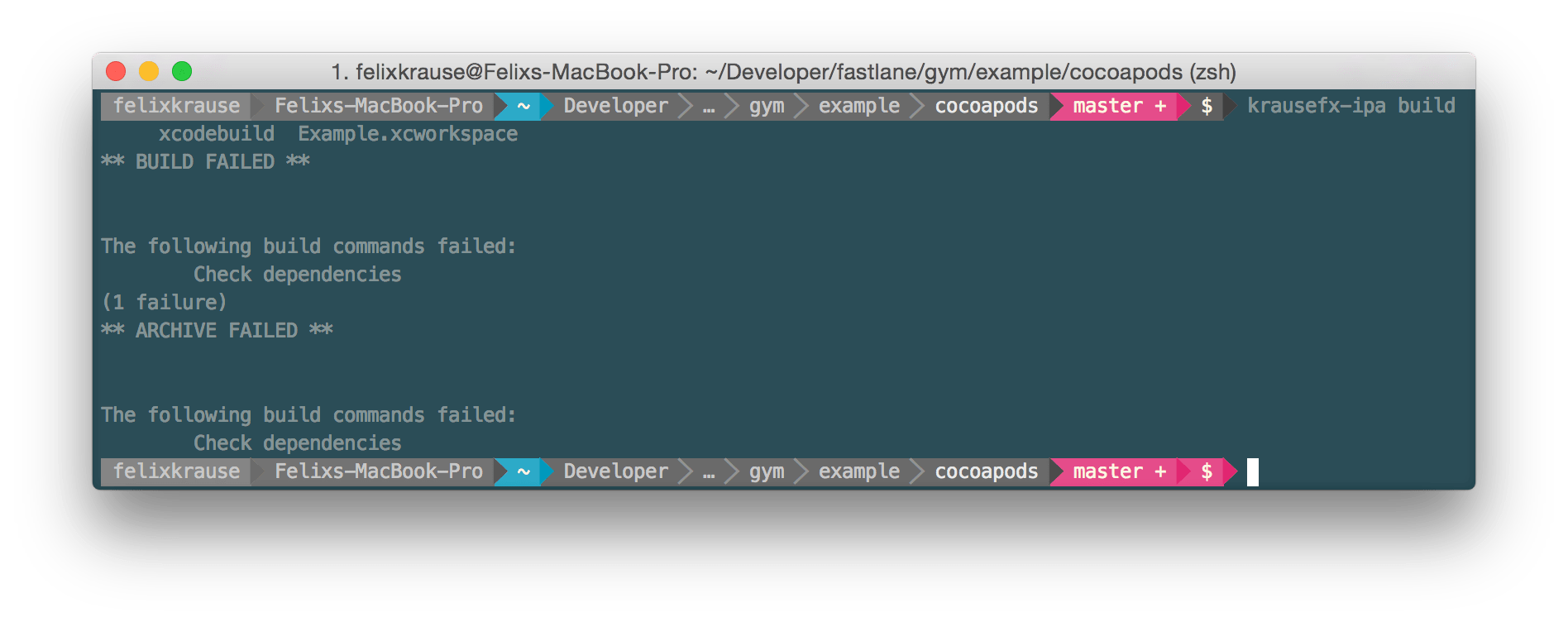
You know what you’d need to do to solve this issue? No, it’s not clear, you don’t get any information that helps you fix this issue. That’s a simple code signing issue, in which the project defines a provisioning profiles that doesn’t exist.
shenzhen is a great tool, but hasn’t received any updates recently. With fastlane I used a fork of shenzhen to fix some bugs. After a time I decided to build ‘gym’, a tool which should replace the building part of shenzhen.(shenzhen also does distribution to beta testing services)
Improving the process
In my opinion it’s really important a tool does different things depending on the outcome:
- When the tool succeeded, the user doesn’t need a lot of output/information, except that everything worked fine
- When something went wrong while building, the user should get as much relevant information as possible to make it easy to quickly fix the issue.
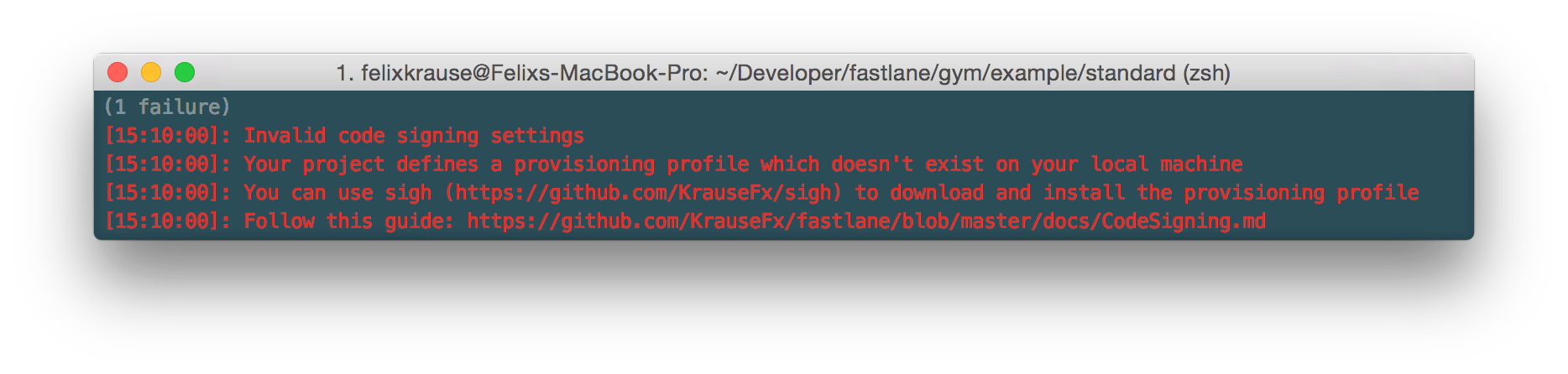
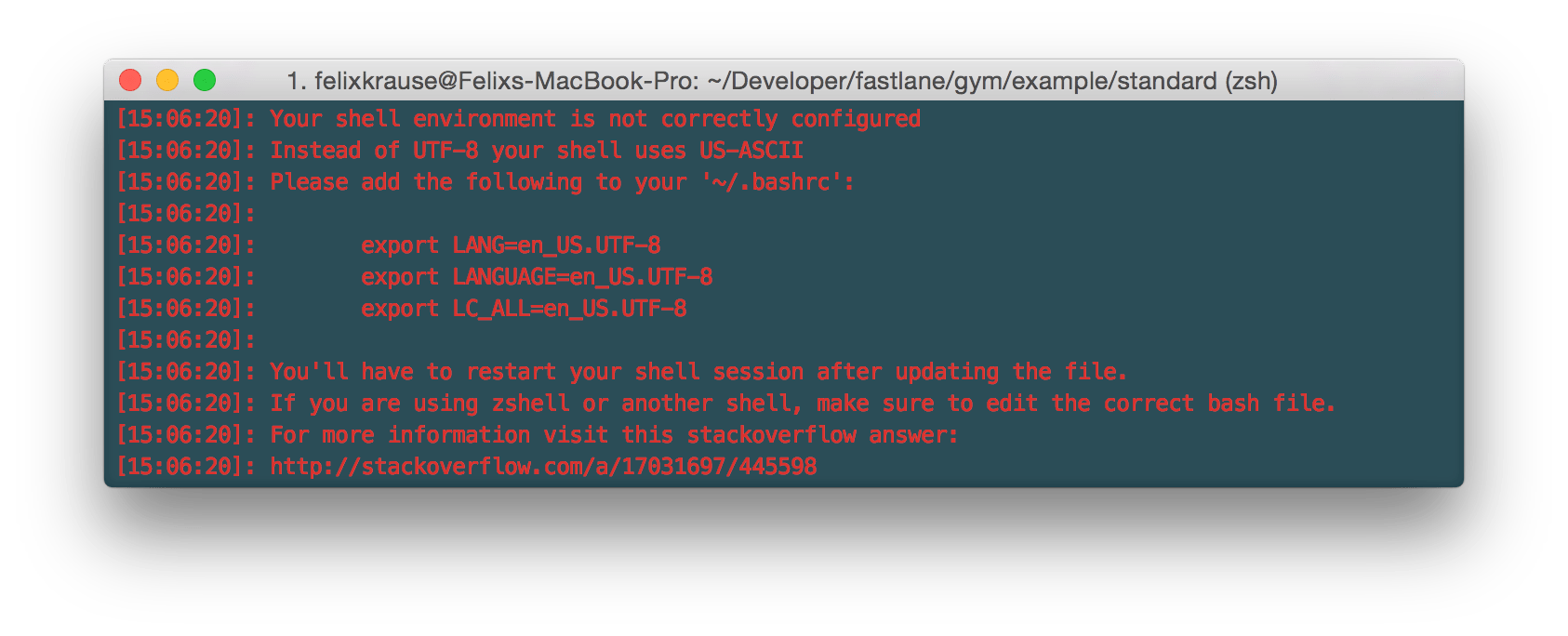
Tools should actively help the user resolve common issues. By showing as much useful information as possible and even telling the user how to fix it, a tool automatically becomes much more useful.
Tools can automatically detect all kinds of issues and help the user fix them really fast:
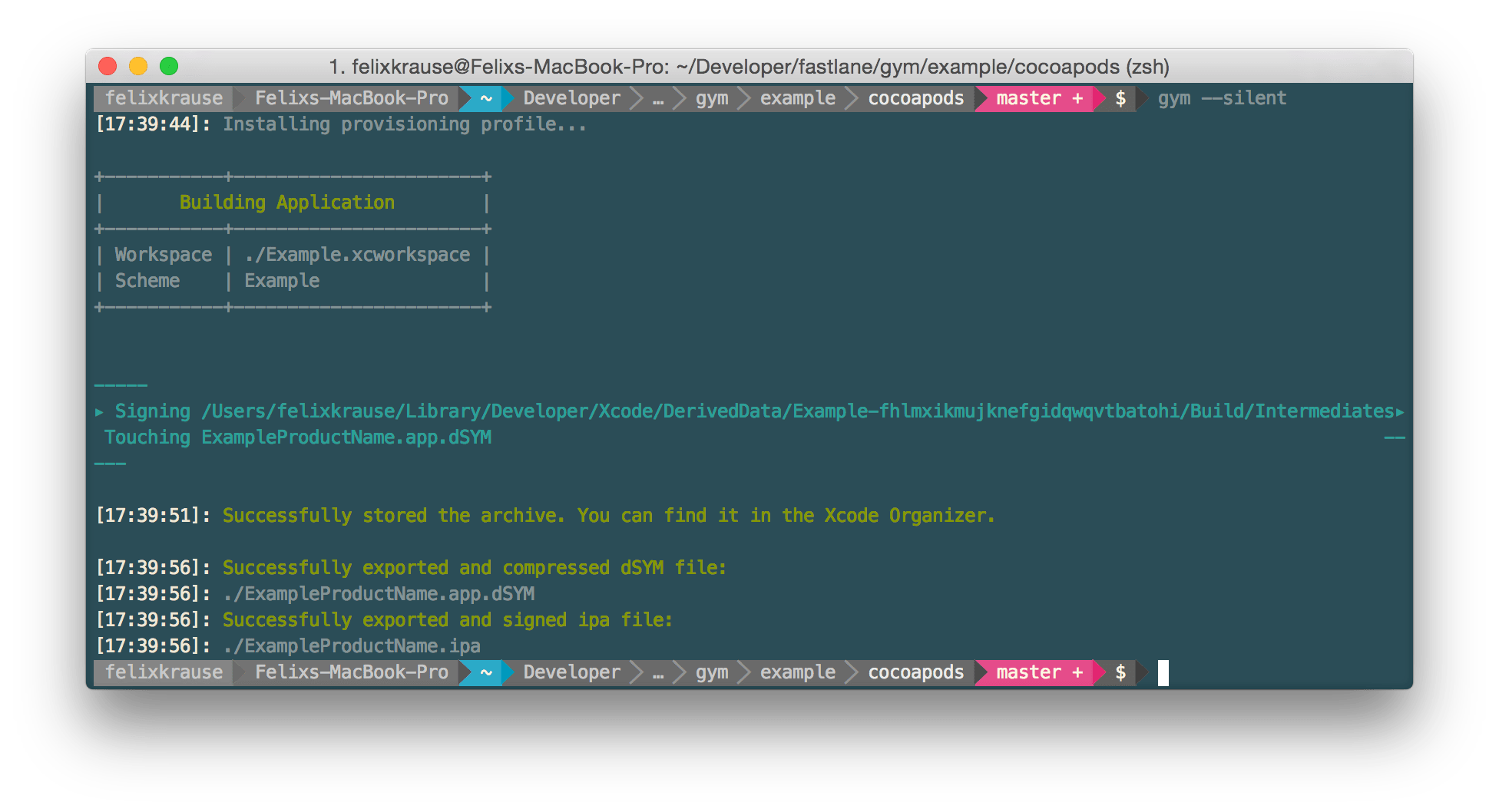
When gym succeeds the terminal output is minimalistic but still shows relevant and useful information while processing
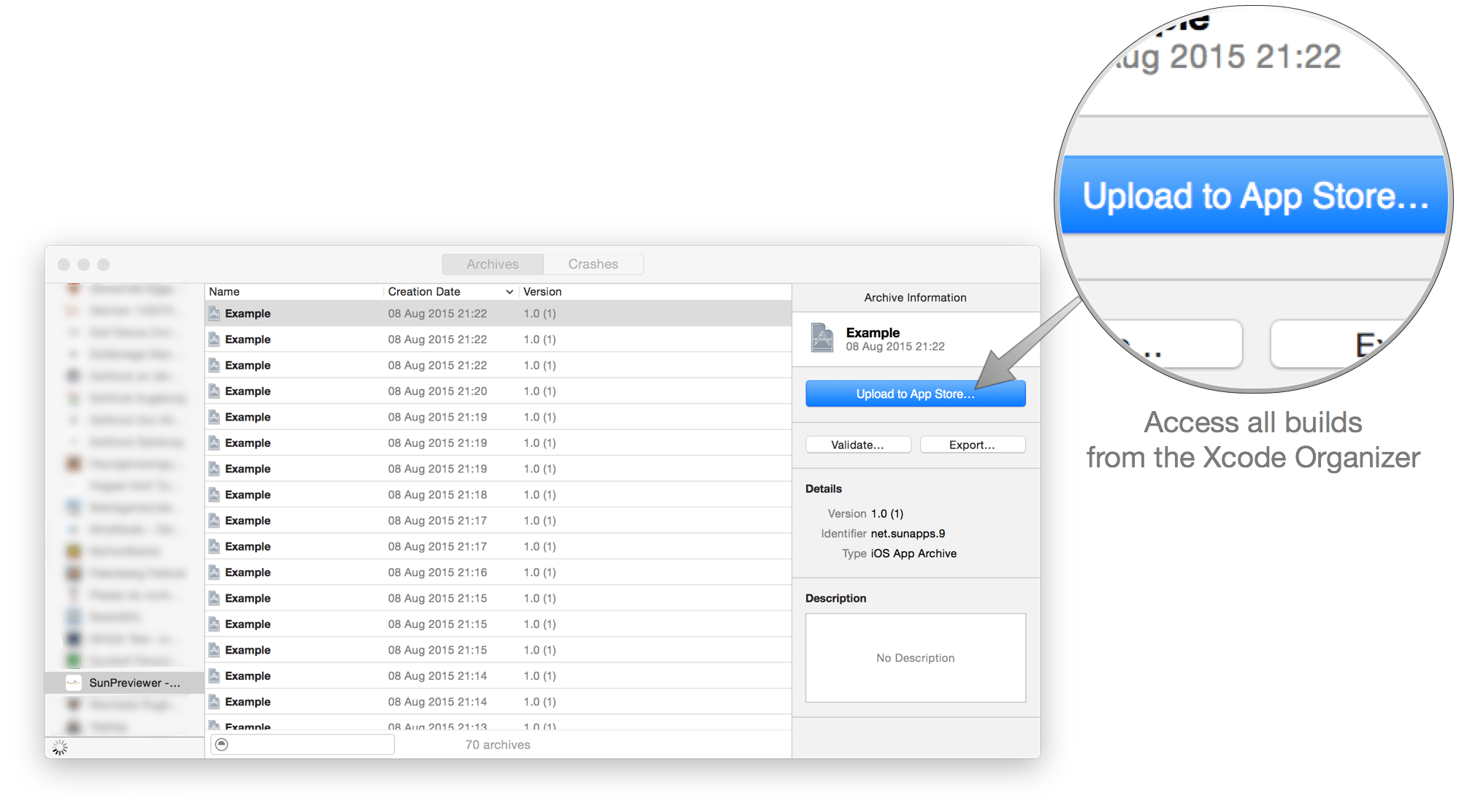
Another important point is being compatible with existing technologies. With gym for example I want the user to still be able to use the Xcode Organiser to distribute the archive or dSYM file
Information
When writing about developer tools I don’t want to forget the famous “Fix Issue” button.
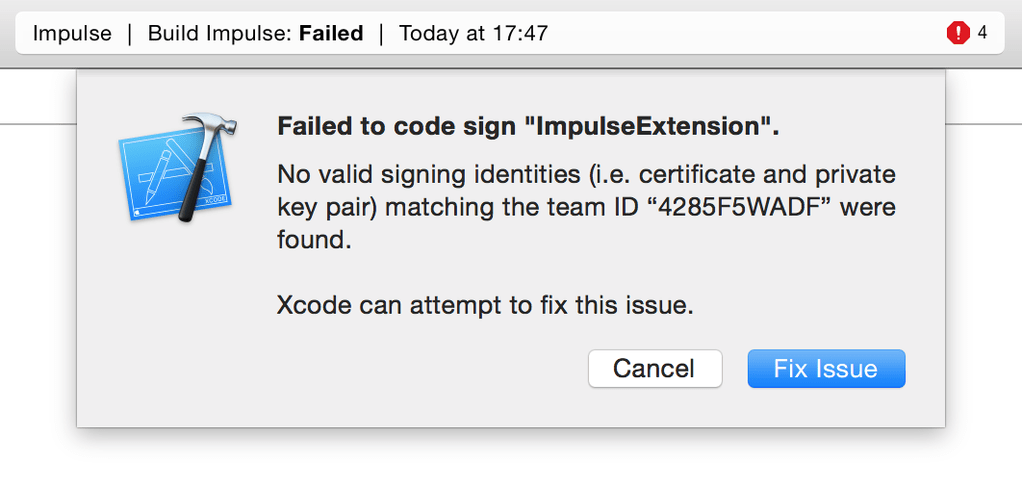
How can we improve it?
The most important things a developer tool should do
- Expose information about what Xcode is going to try when you click “Fix Issue”
- Show a log of what was tried and what failed
- If possible show the user how to fix an issue manually
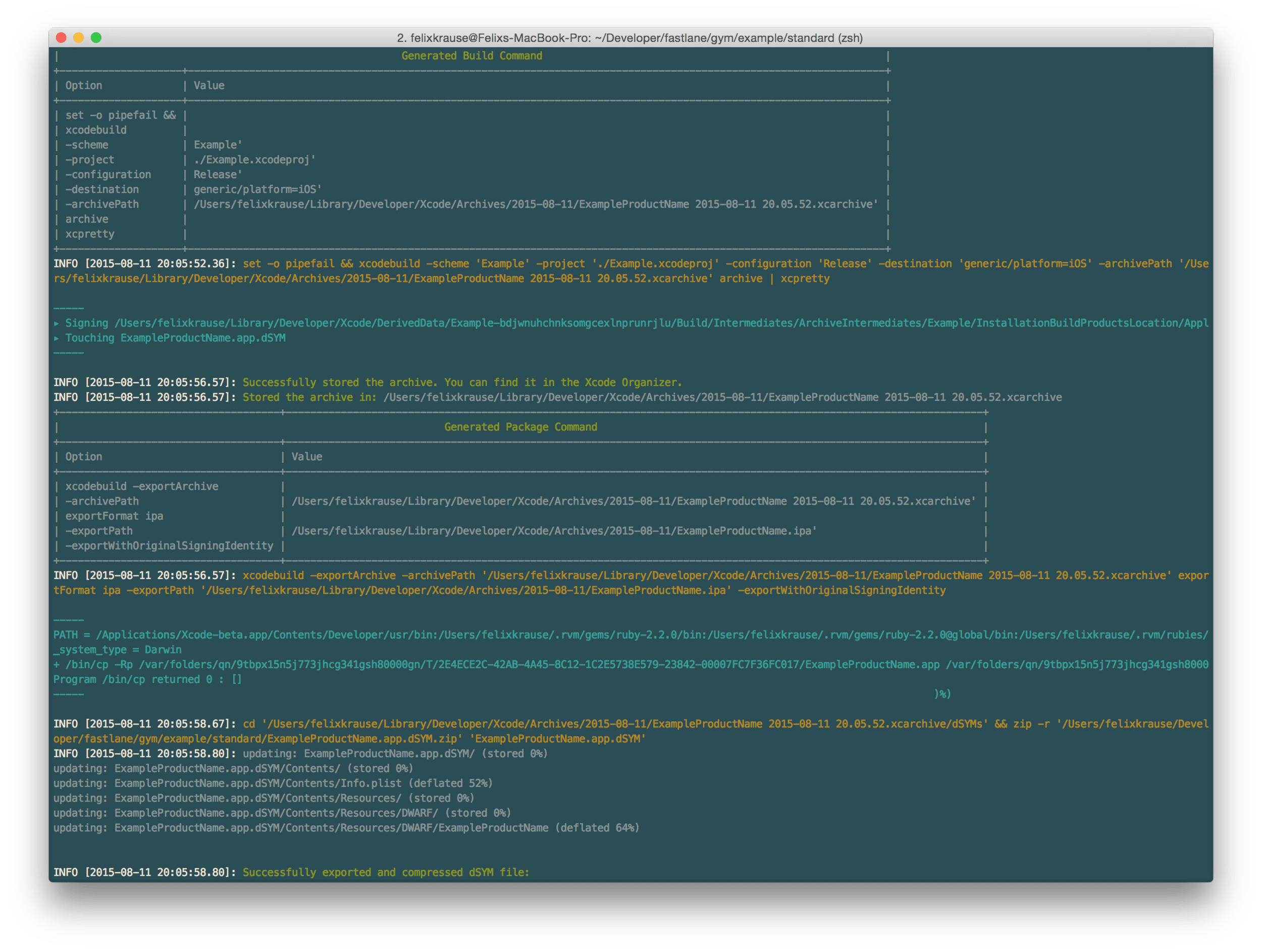
In the example of gym you get every shell command that is being executed printed out so you can manually try fixing something in case the build process fails.
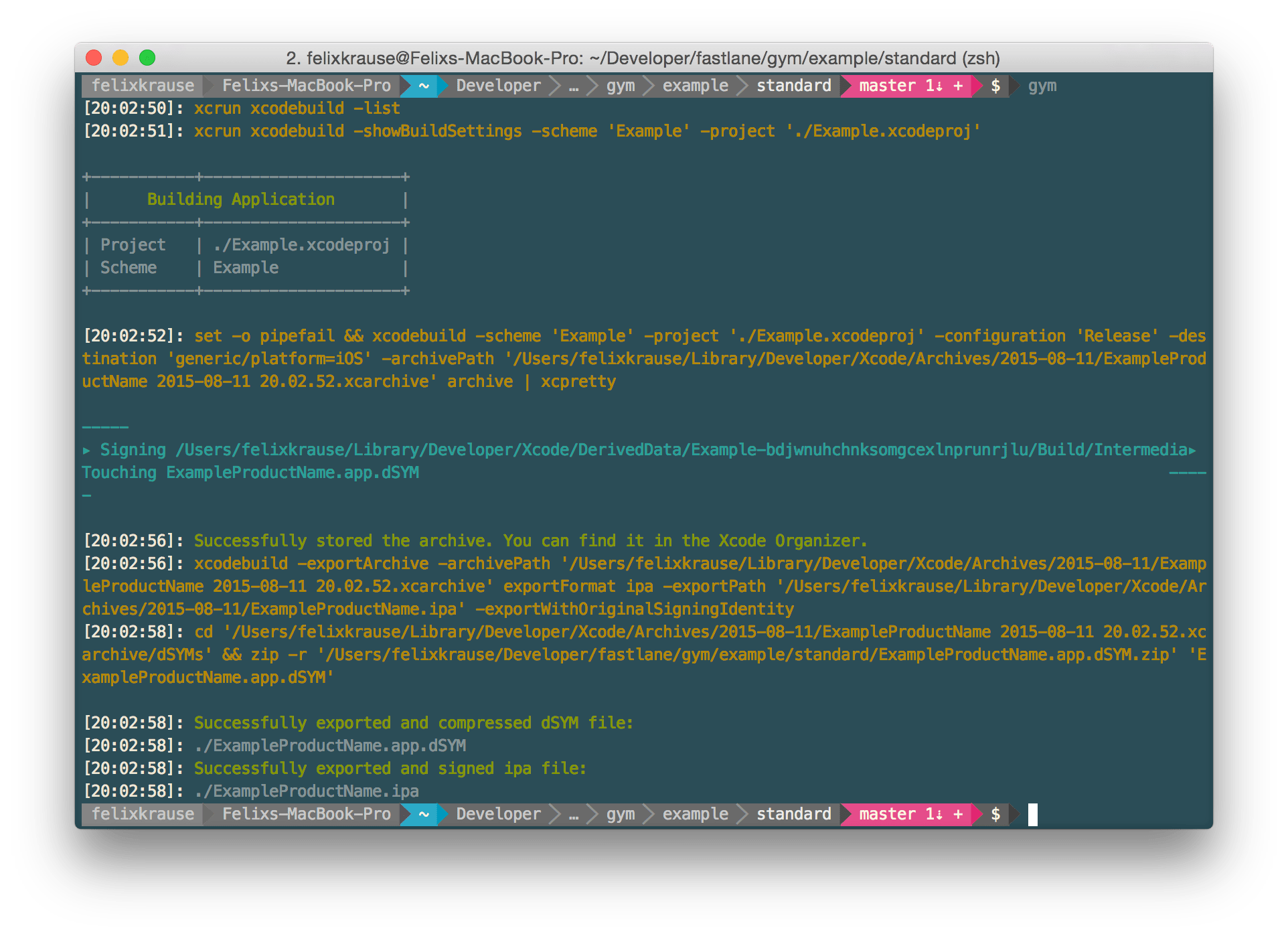
If you need even more information, the you can use --verbose flag.
Conclusion
Besides standard features like sensible defaults and convention over configuration, I think it’s important the user knows what’s going on with the tool. This allows the users to debug issues themselves. By being transparent you build up trust. Developer see what the tool is doing.
You can check out gym on GitHub: https://github.com/fastlane/gym
spaceship - now also supporting iTunes Connect
It’s been about 6 weeks since the initial version of spaceship was released. As you may know, spaceship is the tool that’s powering almost all of the other fastlane tools to interact with Apple’s web-services.
Just 10 days ago I silently rolled out the initial version of spaceship for iTunes Connect to use it in the new tools you all have been using already: pilot and boarding.
I finished implementing all remaining API endpoints and writing the documentation to finally release this:
Introducing the first version of spaceship for iTunes Connect
Finally you can interact with all important API endpoints the iTunes Connect service has to offer without using the iTunes Connect front-end. All API calls are really fast as spaceshipcommunicates with the WebObject based back-end directly.
Here are some examples taken from the official documentation:
# Fetch all available applications
all_apps = Spaceship::Tunes::Application.all

# Find a specific app based on the bundle identifier or Apple ID
app = Spaceship::Tunes::Application.find("com.krausefx.app")
# or
app = Spaceship::Tunes::Application.find(794902327)

# Access information about the app
app.apple_id        # => 1013943394
app.name            # => "Spaceship App"
app.bundle_id       # => "com.krausefx.app"

# Show the names of all your apps
Spaceship::Tunes::Application.all.collect do |app|
  app.name
end

# Create a new app
app = Spaceship::Tunes::Application.create!(name: "App Name",
                                primary_language: "English",
                                         version: "1.0",
                                             sku: 123,
                                       bundle_id: "com.krausefx.app")

# Submitting an app for review
submission = app.create_submission

# Set app submission information
submission.content_rights_contains_third_party_content = true
submission.content_rights_has_rights = true
submission.add_id_info_uses_idfa = false

# Finalize app submission
submission.complete!
For more examples check out the official documentation on GitHub.
What can you do with spaceship for iTunes Connect?
- Manage your applications, update their metadata and even submit apps for review
- Manage your app’s builds and get information like the testing status, number of installs, expiry date and even submit builds for TestFlight beta review
- Manage all your beta testers (check out pilot and boarding as an example project using it)
What could you build with spaceship for iTunes Connect?
- Automatically sync iTunes Connect users with your company internal user system
- Automatic daily backups of all iTunes Connect and Apple Dev Portal data
- Automatically send customers emails once a new version of their app got approved
- Build a lightweight dashboard for your clients to see a grid of their apps with the current download numbers, reviews and app review status
- Add App Review Notifications (e.g. Waiting for Review) to your company dashboard or push them directly to Slack