Felix Krause
Co-Founder of contextsdk.com
Founder of fastlane.tools

While I leverage AI for my work, all my blog posts are handcrafted.
Analyzing your public GitHub contributions using Google Big Query
Do you like those GitHub graphs, but want to know even more about your open source behavior? GitHub has you covered with githubarchive.org. GitHubArchive offers dumps of all GitHub events of all users and open source projects. New ones are generated every single day, and are instantly accessible. They are very easy to use together with Google Big Query.
If you have a Google Cloud account & project, click this link to give it a try. Use the Run Query button and wait for about 30 seconds, and you’ll get a list of people that comment on any of the fastlane repos most often in the year of 2017 (see screenshot below):
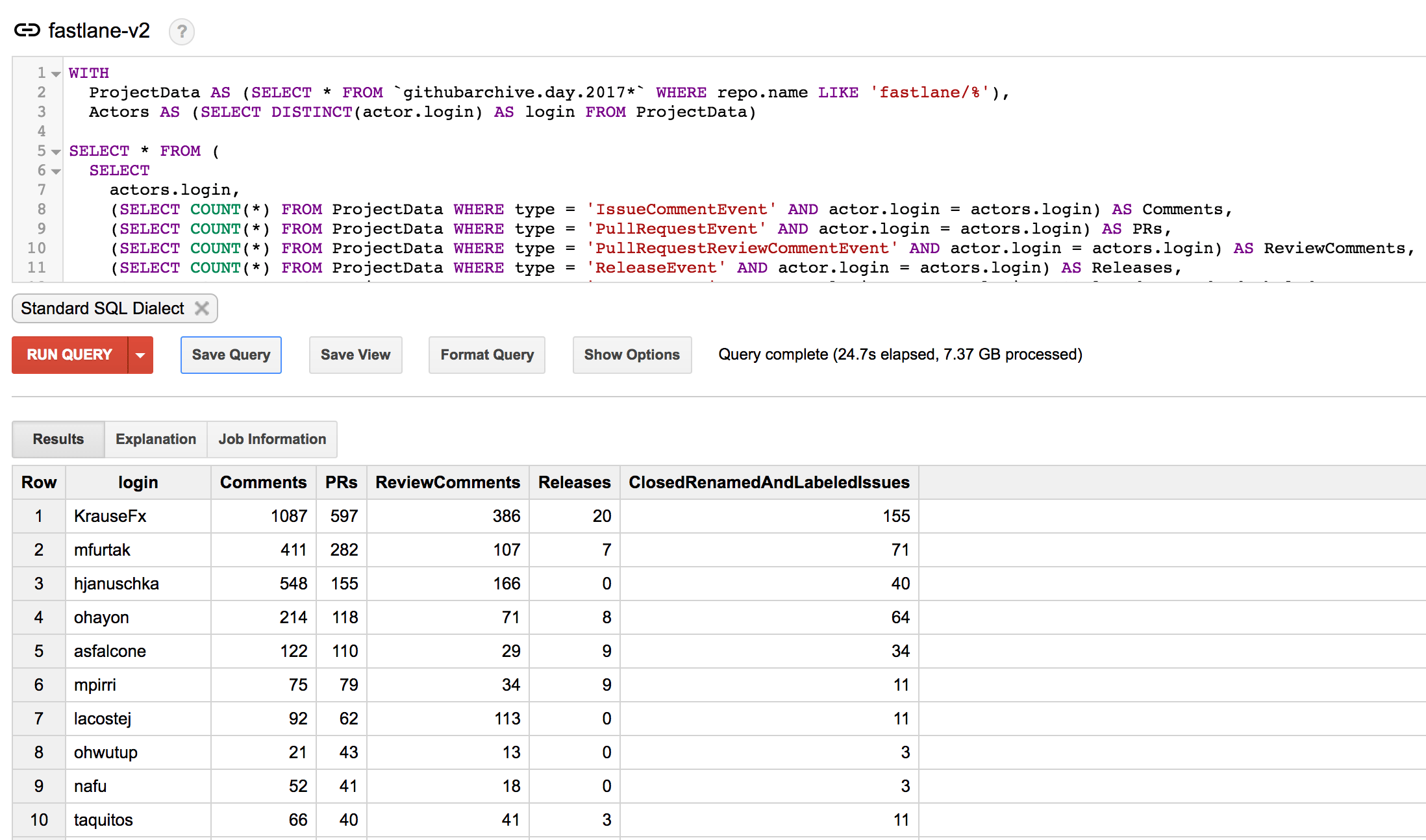
To run this query for your own GitHub organization, just replace the “ fastlane/%” with your own GitHub org. You can also easily extend the query to show more columns (see the list of available events).
Running queries on your own profile
I was wondering of how my GitHub behavior changed over the last few years, now that fastlane is actively being used by tens of thousands of companies, it’s harder to keep the innovation you had in the beginning.
The last 3 years I published a total of
- 16,000 comments
- 5,550 Pull Requests
- 907 releases
across a high number of different open source projects, mostly fastlane, TSMessages, danger and lots of other projects.
Below you can see the last 5 years of open source code contributions:
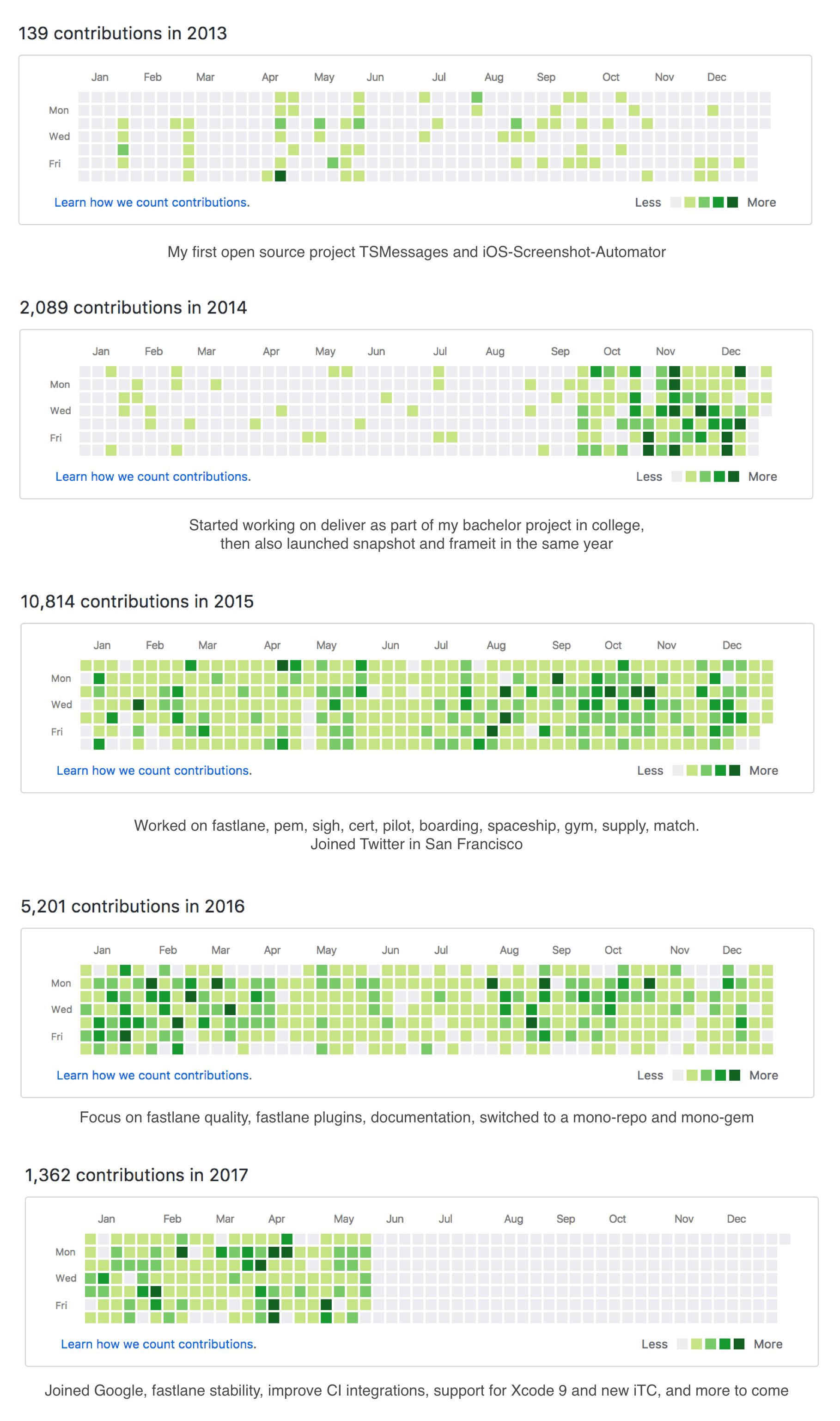
Over the last 3 years, on average I did the following every single week
- Post 77 comments on GitHub Issues
- Submit 28 Pull Requests(the first year of fastlane, I didn’t submit PRs on my own repos)
- Posted 16 comments on GitHub Pull Requests
- Published 5 fastlane releases
Wrapping up
You can extend those queries to show you more information that’s relevant to you. I initially wanted to use this to see which of our contributors are the most active, and make sure we promote them to be Core Contributors.
There has been quite some discussion around the GitHub graph (e.g. isaacs/github#627), as many engineers took it far too seriously and tried to have a long streak without any interruptions. GitHub reacted to the feedback and removed the streak count from all profiles, and added an option to show private contributions on the graphs.
Special thanks to @sebmasterkde for coming up with the initial queries.
Note: The data shown above is from May, as that’s when I wrote this blog post, but was kind of distracted with more important things (life and such) and finally found the time to publish this post.
/* GitHub query to get the number of comments, PR, releases, etc. for a given GH org */

WITH
  ProjectData AS (SELECT * FROM `githubarchive.day.2017*` WHERE repo.name LIKE 'fastlane/%'),
  Actors AS (SELECT DISTINCT(actor.login) AS login FROM ProjectData)

SELECT * FROM (
  SELECT
    actors.login,
    (SELECT COUNT(*) FROM ProjectData WHERE type = 'IssueCommentEvent' AND actor.login = actors.login) AS Comments,
    (SELECT COUNT(*) FROM ProjectData WHERE type = 'PullRequestEvent' AND actor.login = actors.login) AS PRs,
    (SELECT COUNT(*) FROM ProjectData WHERE type = 'PullRequestReviewCommentEvent' AND actor.login = actors.login) AS ReviewComments,
    (SELECT COUNT(*) FROM ProjectData WHERE type = 'ReleaseEvent' AND actor.login = actors.login) AS Releases,
    (SELECT COUNT(*) FROM ProjectData WHERE type = 'IssuesEvent' AND actor.login = actors.login) AS ClosedRenamedAndLabeledIssues
  FROM Actors as actors
)
WHERE PRs > 0 OR Comments > 0
ORDER BY PRs DESC, Comments DESC;
Tags: open source, github | Edit on GitHub
Introducing fastlane precheck

You probably know how time-consuming it is to ensure your app follows the latest app review guidelines. App store rules can be complicated and hard to remember because they are constantly changing, but all developers need to follow them to avoid rejection.
That’s why today, we’re excited to introduce fastlane precheck to save you the time and hassle of auditing your own app! fastlane precheck reviews your app’s metadata (in seconds) to catch the most common metadata rejection errors, such as mentioning other platforms or having broken URLs.
On a personal note, I’m super thrilled to launch fastlane precheck because it’s the first new iOS tool we built since joining Google.
Read the full announcement on the Fabric blog.
Open on GitHub
Tags: fastlane | Edit on GitHub
Introducing WWDC.family
Initial Version: WWDC 2016
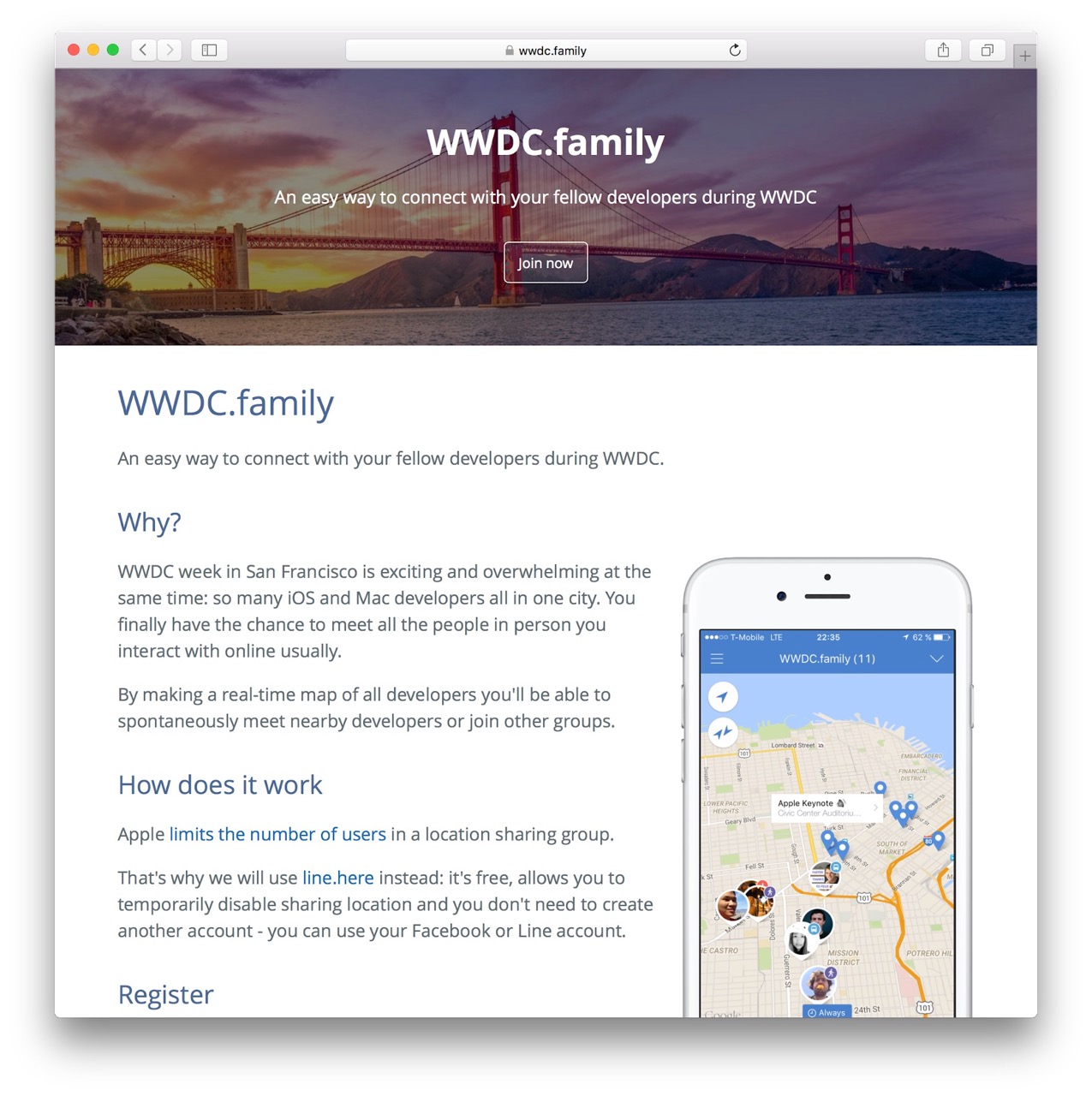
The very first version was basically a set of location sharing groups on line.here (app is now discontinued). The app quickly ran into the limitations of the line.here platform.
WWDC week in San Jose is exciting and overwhelming at the same time: so many iOS and Mac developers all in one city. You finally have the chance to meet all the people in person you interact with online usually.
By making a real-time map of all developers you’ll be able to spontaneously meet nearby developers or join other groups.
Custom App: WWDC 2017
The following year I’ve built a custom app, and used it to learn Firebase and React Native.
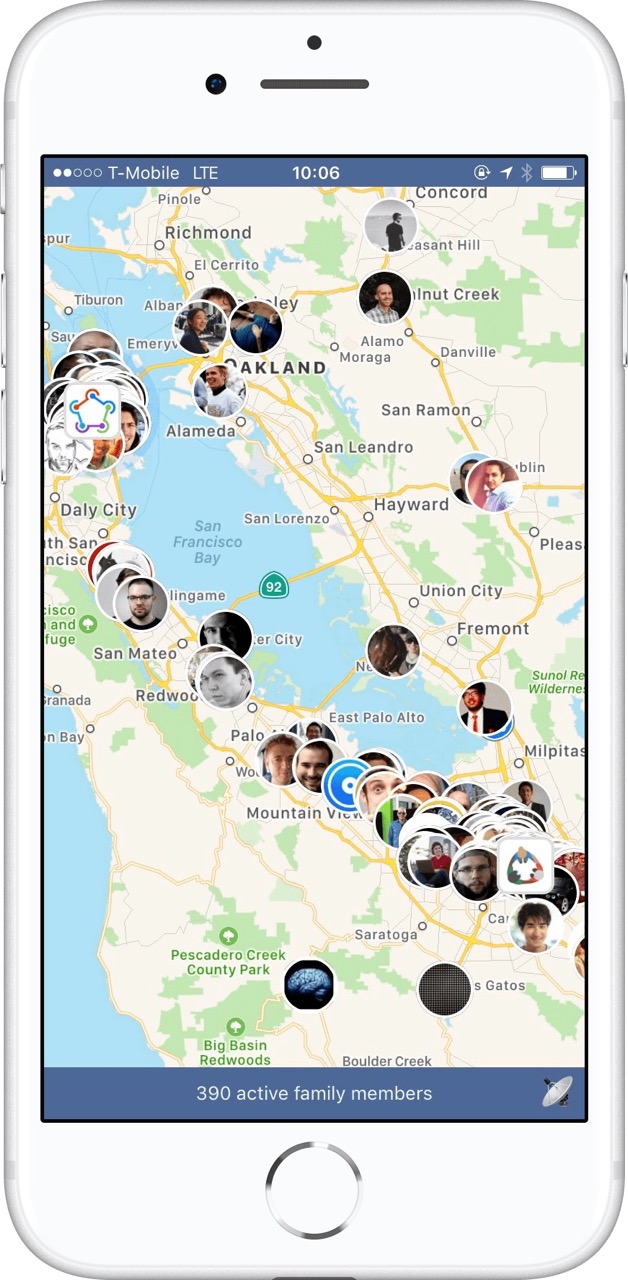
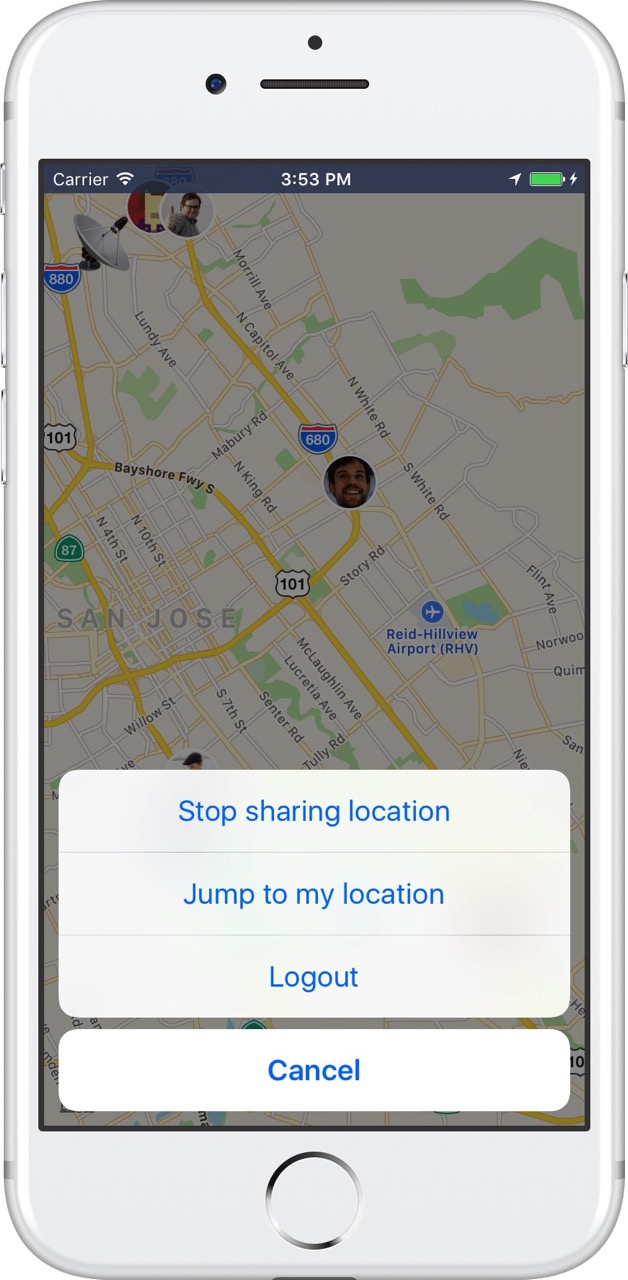
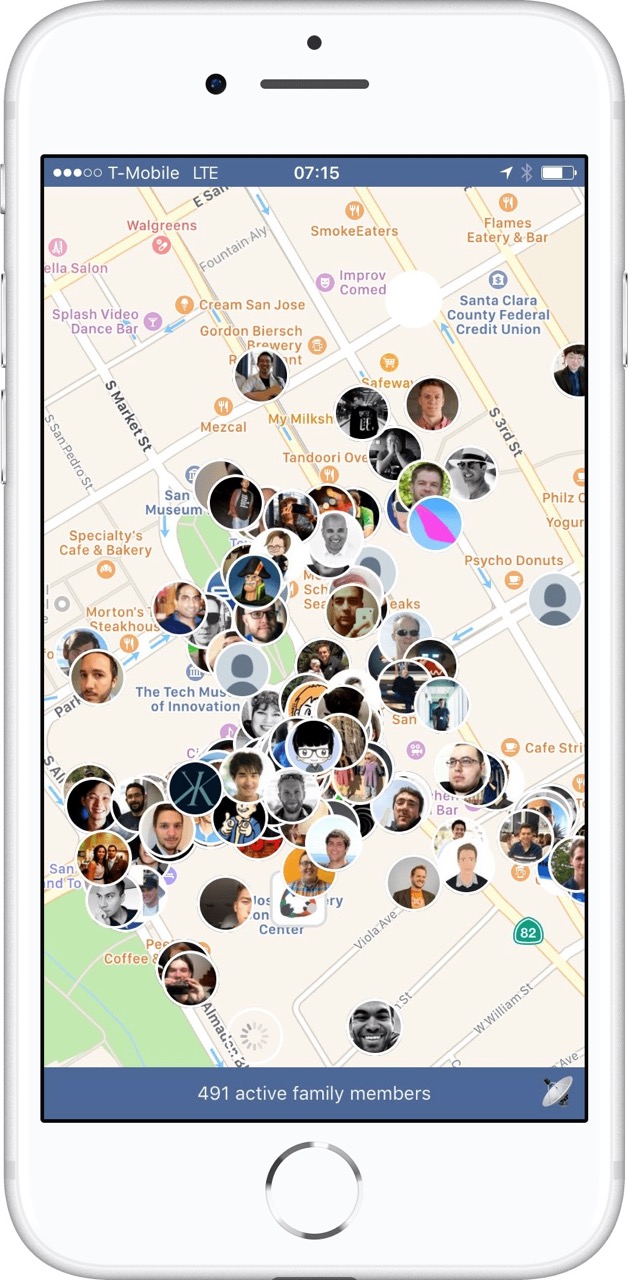
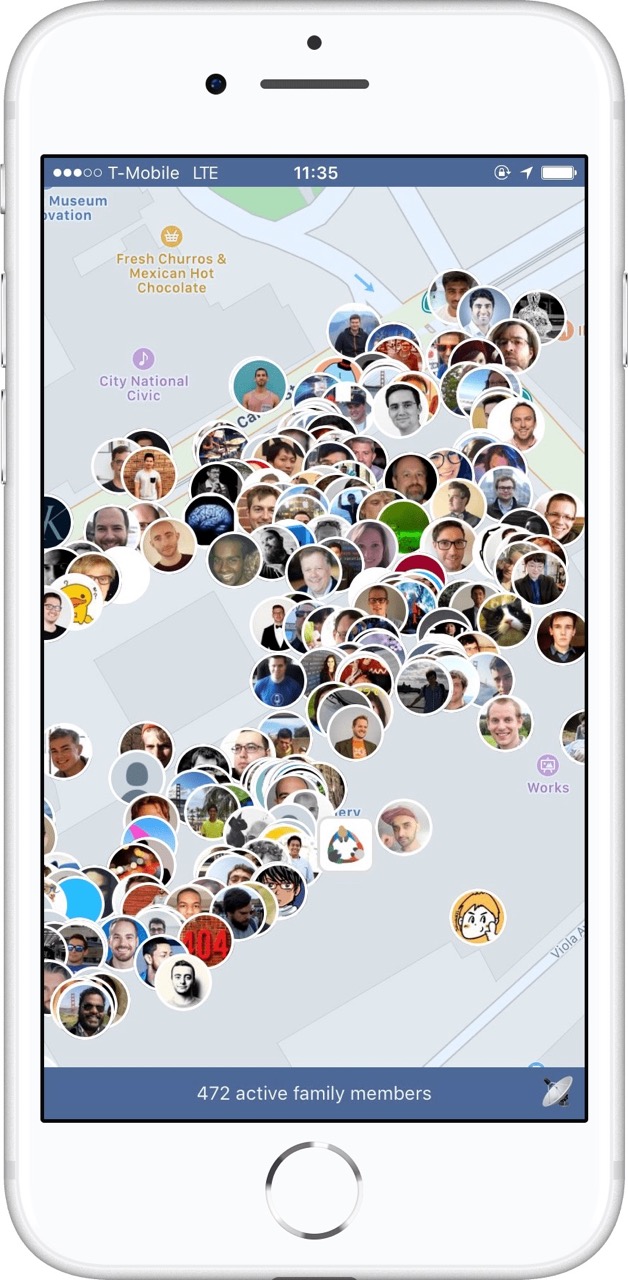
The app is fully open source, and you can find the source code on GitHub. Due to the name, and me not wanting to deal with the App Store Review guidelines, the app was distributed through TestFlight.
WWDC 2018: ConfFriends
In 2018, I’ve decided to hand over the app to @ay8s, who re-wrote the app using native code, and renamed it to ConfFriends (to prevent any issues with Apple). With that, I’ve stopped working on wwdc.family.
Tags: wwdc, family, social, app, opensource | Edit on GitHub
What is the value of iOS code signing?
All those hours you spend on getting code signing to work properly on your machine, on your CI and on your co-workers Mac… your app and the App Store would be just a safe and secure without it.
Is code signing really a problem for developers?
Yes! On the fastlane repo alone, over 1,700 GitHub Issues are related to code signing. That is over 30% of all incoming requests. On Stackoverflow you can find over 3,000 questions around iOS code signing, even though it’s not related to actual code.
Why do we have to codesign iOS apps?
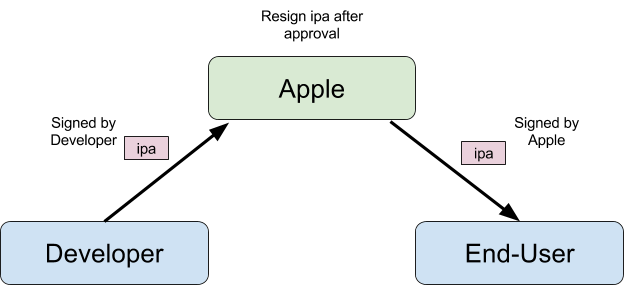
Code signing is one of the most crucial security components of the iOS ecosystem:
- Code signing allows Apple to control what software can be installed on iOS devices.
- Code signing ensures your app doesn’t get modified by a third party on the way from your Mac to the end-users iPhone.
- You sign your app with your signature, it ensures that the app is from you.
What’s the problem with the current process?
Once someone has access to your Apple credentials, they can easily revoke all your certificate, create new ones, and update the provisioning profile to use theirs.
-
When you submit your iOS app for review, the app gets resigned by Apple after being approved, so your code signature isn’t actually used when the end-user downloads your app.
-
When you create a new Certificate Signing Request you can select
Saved to disk. This means, if someone has access to your Apple Developer Account, they can create as many new, valid certificates as they want, without having access to your email account.
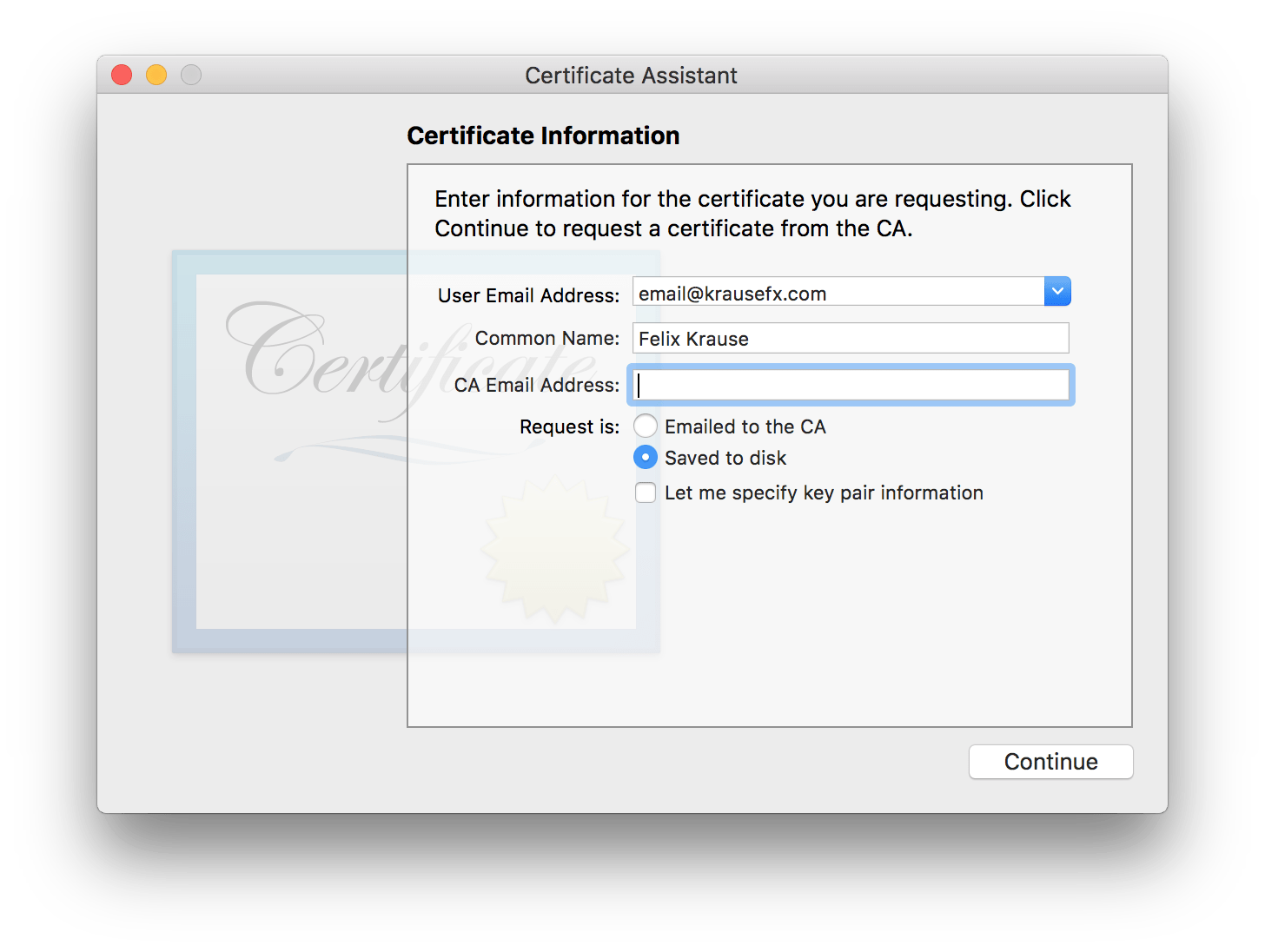
For many iOS developers, the account credentials never leave their computer (e.g. if they use Xcode and fastlane), but there is also a handful of third party web services that ask for your Apple ID credentials, which are then stored on their servers. If the service isn’t open source, there is no way for you to know how the credentials are stored and secured.
How to fix iOS code signing? (see what I did there?)
Don’t require developers to codesign, or make it completely automatic
Don’t require code signing locally on the developer’s machine at all. Tools like the iTunes Transporter already verify the checksums and validity of the uploaded binary. Just by doing this one thing, you never have to deal with code signing again.
And assuming your Developer account doesn’t have 2-factor auth enabled, there would be no difference in the security across the whole process.
The alternative would be to do all the code signing completely automatic in the background via Xcode. That’s already the case (previously known as Fix Issue button), and it works great for some use-cases, however once your team reaches a certain scale, you’ll quickly run into its limits (see codesigning.guide).
Enforce 2-factor
Enforce 2-step verification for all Apple Developer accounts, offer a way for teams to easily add multiple phone numbers or email addresses. Access to production apps is important enough to enforce 2-step verification for all accounts.
Require 2 factor auth before resigning the app
Once your app is approved, the owner of the app should be asked to confirm that this version should be shipped. This can be done either via email or SMS verification, but not via the iTunes Connect Web UI directly, as otherwise people with access to the portal could confirm your app release. This could even be its own iTunes Connect role.
Entitlements
Right now Entitlements are set up on your local machine. This could either be moved onto the server side on iTunes Connect, or work automatically under the hood on your local machine
Local code signing is still required for Development builds
You’ll always need to sign your app to install it on your actual device, however this became a lot easier over the last two years, as more and more people can use their personal Apple ID to install their app on their real device. This is actually quite critical, as local code signing was abused by multiple app providers to enable people to install apps that are not approved by Apple (e.g. Flux for iOS)
Ad Hoc builds still require code signing
The above mentioned techniques won’t work for Ad Hoc builds, code signing should still be required as before.
Tags: codesigning, ios | Edit on GitHub